
Choosing between built-in car navigation and smartphone navigation is a daily decision for drivers navigating Singapore’s dense urban landscape. While factory-installed systems offer a clean dashboard and seamless integration with the vehicle’s audio, smartphone navigation apps provide real-time traffic updates, dynamic routing around Electronic Road Pricing (ERP) gantries, and instant map updates. For many, the decision comes down to whether to rely on the car’s built-in screen or invest in a reliable car phone holder 360 to position a smartphone securely.
To make the right choice for your daily commute, you must evaluate how each system handles Singapore’s unique road conditions, from deep underground tunnels to rapidly changing housing estates. Understanding the balance of accuracy, cost, safety, and ergonomics will help you configure the optimal setup for your vehicle.
Real-Time Accuracy and Traffic Routing on Singapore Roads
Singapore’s road network is highly dynamic, with new residential estates, slip roads, and temporary construction diversions appearing regularly. Built-in car navigation systems typically rely on map data stored locally on the vehicle’s hard drive or SD card. These maps often require manual updates that are only released annually or bi-annually, meaning your system might not recognize newly completed roads in developing areas like Tengah or Punggol.
Products mentioned in this guide
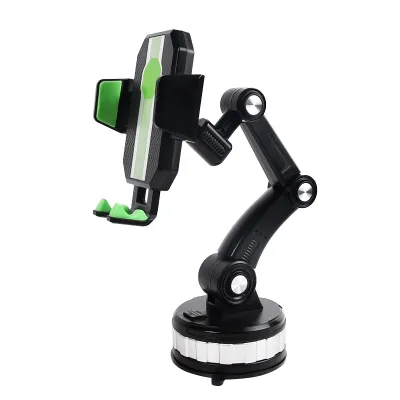
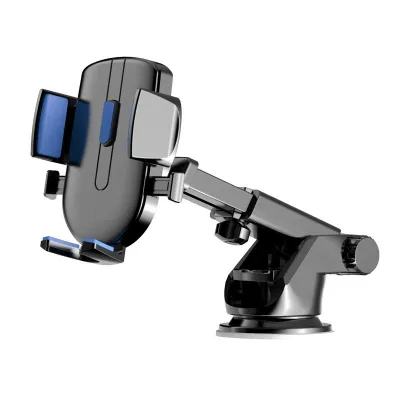
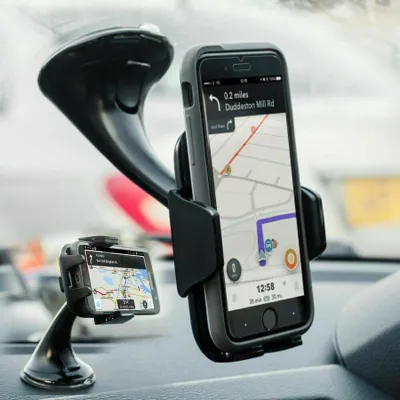
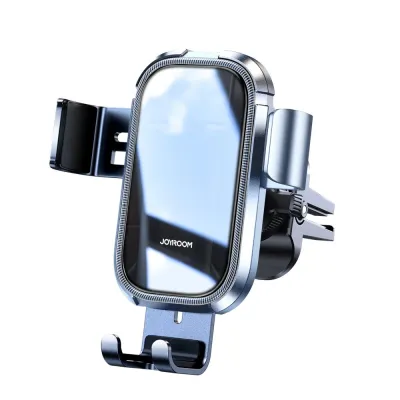
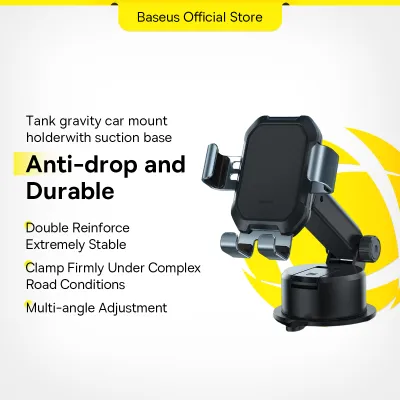

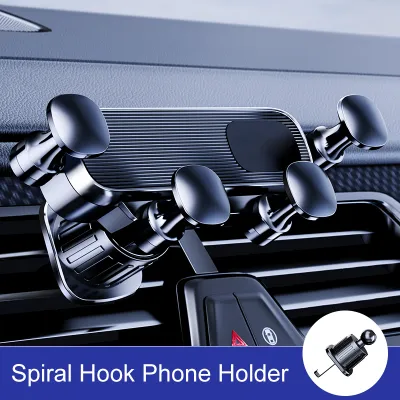
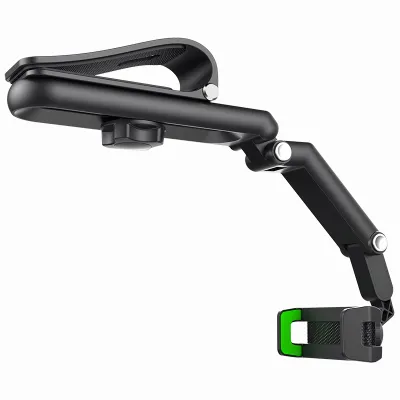
Prices are valid at publication and may change. Please refer to the product page for the latest price.
Smartphone navigation apps, on the other hand, utilize live cloud-based maps that update continuously. This ensures that new road configurations, speed limit changes, and temporary closures are reflected almost immediately. For daily drivers, this rapid update cycle prevents wrong turns and reduces the stress of navigating unfamiliar or newly modified junctions.
Real-time traffic integration is another critical factor on congested expressways like the PIE, CTE, and AYE. Smartphone apps aggregate crowd-sourced data to provide instant alerts about accidents, vehicle breakdowns, and sudden traffic build-ups. This allows the system to calculate alternative routes dynamically, helping you bypass bottlenecks and avoid active ERP gantries during peak hours.
However, Singapore’s extensive underground road network, including the Marina Coastal Expressway (MCE) and Central Expressway (CTE) tunnels, presents a unique challenge for GPS signals. Built-in navigation systems often have an advantage here because they are wired directly into the vehicle’s internal sensors, such as wheel speed sensors and gyroscopes. This integration, known as dead reckoning, allows the vehicle to estimate its position accurately even when satellite signals are completely blocked.
Smartphones rely primarily on sensor fusion, combining cellular tower signals, internal accelerometers, and GPS. While modern smartphones are highly sophisticated, they can still experience location drift or lag when navigating deep tunnels. Drivers should verify how their specific device and navigation app handle these transitions, as a delayed instruction right before a tunnel exit can lead to missed turns.
Cost Comparison: Factory Systems vs Phone Mount Setups
The financial implications of each setup extend beyond the initial purchase. Built-in navigation systems are frequently bundled into premium vehicle trim levels, which can significantly increase the upfront cost of the car. Furthermore, manufacturers may charge recurring subscription fees or dealership service fees to download and install map updates, adding to the long-term cost of ownership.

In contrast, smartphone navigation apps are generally free to download and use, relying on your existing mobile data plan. The primary hardware cost is a one-time purchase of a high-quality car phone holder 360. This minor investment provides a secure mounting solution without the ongoing maintenance costs associated with factory systems.
However, using a smartphone for continuous navigation does introduce secondary costs that drivers should verify. Running GPS, cellular data, and high screen brightness simultaneously generates significant heat and accelerates phone battery degradation over time. To mitigate this, drivers should invest in a certified 12V car charger and a high-quality charging cable to maintain stable power without damaging the device’s battery.
Cabin Ergonomics, Safety, and Choosing a 360 Phone Holder
Ergonomics and driver safety should always dictate how you set up your navigation tools. Built-in screens are designed by automotive engineers to sit at an optimal viewing angle, minimizing glare and reducing the distance your eyes must travel from the road. However, older factory screens may suffer from poor touch responsiveness or become difficult to read under the bright, direct sunlight typical of Singapore’s tropical climate.
A smartphone mounted on a car phone holder 360 offers exceptional physical adjustability. The 360-degree rotating ball joint allows you to tilt and turn the screen to eliminate glare and position the map directly within your comfortable line of sight. This flexibility ensures you can view navigation prompts without straining your neck or taking your eyes off the road for extended periods.
When selecting and installing a phone mount, you must perform critical safety checks. Refer to your vehicle’s owner’s manual to identify the exact deployment zones for all cabin airbags, including steering wheel, passenger, and side-curtain airbags. The phone holder and device must never be placed within or near these deployment zones, as a deploying airbag can turn a mounted phone into a dangerous projectile.
Additionally, ensure the mount does not obstruct your primary view of the road or block essential dashboard instruments. Windshield suction mounts should be positioned low and to the side to maintain a clear field of vision. Air vent mounts keep the phone cool by utilizing the car’s air conditioning, but you must verify that your vent slats are sturdy enough to support the weight of your phone and mount without bending or breaking.
When shopping for a car phone holder 360, look for robust vibration dampening features. Singapore’s roads feature numerous speed humps, rumble strips, and construction patches that can cause a poorly made mount to shake violently, making the map unreadable. A secure locking collar on the 360-degree joint is also essential to prevent the phone from sagging or shifting angles while driving.
Decision Framework: Which Setup Fits Your Driving Style?
To finalize your setup, consider your vehicle’s existing technology and your personal driving habits. Choose built-in car navigation if you prioritize a clean, cable-free cabin aesthetic and prefer to use integrated steering wheel controls to manage your media and navigation. This option is highly suited for drivers who primarily travel familiar routes and do not require minute-by-minute traffic updates.
Choose smartphone navigation paired with a car phone holder 360 if you commute daily during peak hours, frequently travel to unfamiliar destinations, and want to avoid recurring map update fees. The real-time routing capabilities and dynamic ERP avoidance of mobile apps make this setup highly efficient for active drivers.
Before making a purchase, always verify if your vehicle supports smartphone projection interfaces such as Apple CarPlay or Android Auto. These systems offer a hybrid solution by displaying your phone’s live navigation apps directly on the factory dashboard screen. If your car supports this feature, you can enjoy the real-time accuracy of mobile maps alongside the clean ergonomics of a built-in display, though a dedicated phone holder remains useful for keeping your device secure and charged.
Frequently Asked Questions (FAQ)
Is it legal to mount a phone holder on the windshield in Singapore?
Yes, mounting a phone holder on the windshield is legal in Singapore, provided it does not obstruct the driver’s clear view of the road or surrounding traffic. The Traffic Police and Land Transport Authority emphasize that drivers must maintain an unobstructed field of vision at all times. To ensure full compliance and safety, consider mounting the holder on the lower portion of the dashboard or onto the air vents to keep the windshield completely clear.
Does using phone navigation drain the car battery or phone battery faster?
Using phone navigation does not drain your car’s battery while the engine is running, as the alternator continuously supplies power to the vehicle’s electrical systems. However, running GPS, cellular data, and high screen brightness simultaneously will drain your smartphone’s battery rapidly and cause the device to heat up. To protect your phone’s battery health, use a certified 12V car charger and avoid leaving the phone plugged in when the engine is turned off.
Community discussion
Share your experience or ask a question. Comments are reviewed before publication.