
Choosing a car heads-up display (HUD) requires evaluating three primary technical specifications: the projection method, the display brightness, and the data source compatibility. A well-chosen HUD projects critical driving data directly into your line of sight, reducing the need to look down at the instrument cluster. However, selecting the wrong specifications can lead to double images (ghosting), poor daytime visibility, or compatibility issues with your vehicle’s onboard computer. To find the right unit, you must match the device’s hardware capabilities with your vehicle’s windshield design and electrical system.
Projection Methods: Windshield Reflection vs. Dedicated Screens
HUD displays generally fall into two categories based on how they project information: direct windshield projection and dedicated combiner screens. Direct windshield projection units project the image directly onto the vehicle’s glass. While this offers a seamless look, standard automotive windshields consist of multiple layers of glass laminated together. This construction can cause a double image, commonly known as ghosting, because the light reflects off both the outer and inner surfaces of the glass. To resolve this, manufacturers often include a small reflective film that you must apply to the windshield, though some drivers find this film visually distracting.
Before choosing a direct projection model, check if your vehicle has specialized glass, such as an acoustic interlayer or a polarized coating, which can affect how light reflects. If you want to avoid applying a film to your windshield, a dedicated combiner screen model is an alternative. These units feature a built-in, clear plastic screen that flips up from the housing to catch the projection. While dedicated screens eliminate ghosting entirely, they require more physical space on your dashboard. Measure the depth and flat surface area of your dashboard directly behind the steering wheel to ensure the unit can sit securely without blocking your forward view or rubbing against the windshield glass. Additionally, consider how the screen folds down when not in use, as some manual models require physical adjustment every time you start the car, while others feature motorized screens that sync with the ignition.
Products mentioned in this guide
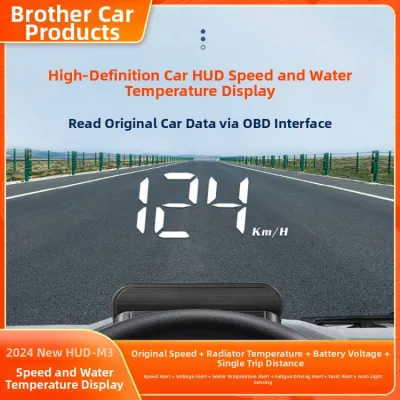
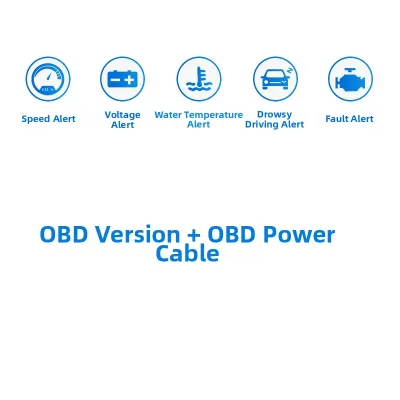
38 Lazada user ratings
The product is really great! It works well in both rainy and summer weather, so visibility is excellent. One thing to note is that when the …Read full reviewShow less
The product is really great! It works well in both rainy and summer weather, so visibility is excellent. One thing to note is that when the speed is set to above 40, it can show a little higher than the actual speed; for example, if the car is going 40 km/h, the display might show 43 km/h. However, for me, that's not a big deal because it helps me keep an eye on not exceeding the speed limit. For instance, if I drive 97 km, the display will show 100 km, which is even better as it helps me stay within the limit. Thanks to the seller!
The setup was super easy—just plug it in! The display is large and shows speed just like the car's speedometer. Even without a screen protec…Read full reviewShow less
The setup was super easy—just plug it in! The display is large and shows speed just like the car's speedometer. Even without a screen protector, it's really clear. Now I don’t have to keep looking down at the dashboard, which makes driving safer. I'm really happy with it!
It doesn't have a protective film, but there's just a little bit of ghosting, which I can deal with. It exceeded my expectations since I don…Read full reviewShow less
It doesn't have a protective film, but there's just a little bit of ghosting, which I can deal with. It exceeded my expectations since I don't have to look down at the dashboard anymore. Five stars!
This is really useful! I had no idea something so great existed, and it was perfect timing since my speedometer was broken.
The device overall is pretty good, but it's hard to see the numbers when running towards the sun.
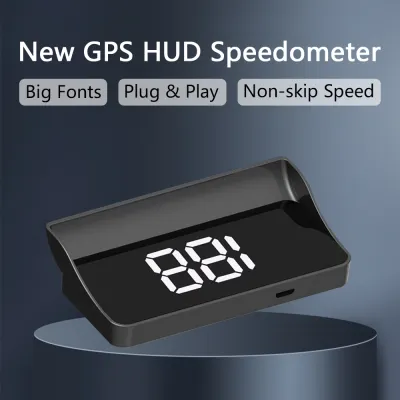
3 Lazada user ratings
I've got it installed now and it's working great. Just make sure to use the included adhesive sticker for the best setup on the windshield t…Read full reviewShow less
I've got it installed now and it's working great. Just make sure to use the included adhesive sticker for the best setup on the windshield to ensure it stays perfectly in place.
Perfect transaction, thank you so much.
Everything arrived exactly as ordered.
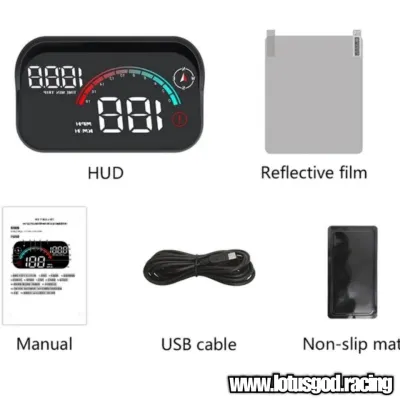
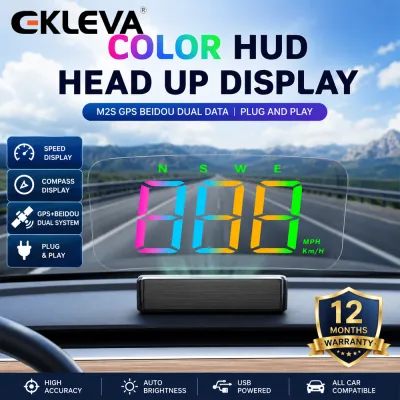
9 Lazada user ratings
The product was carefully packaged and delivered. It has been tested and works fine, but the numbers are smaller than expected. However, it’…Read full reviewShow less
The product was carefully packaged and delivered. It has been tested and works fine, but the numbers are smaller than expected. However, it’s reasonably priced and acceptable. The only thing I’m not sure about yet is how to install it.
Value for money. Nice display, easy to install, USB cable is long enough. Speed quite match speedo meter, very accurate.
Fast delivery, exactly as pictured; haven't used it yet so I don't know the quality.
still trying to figure out how to use it....
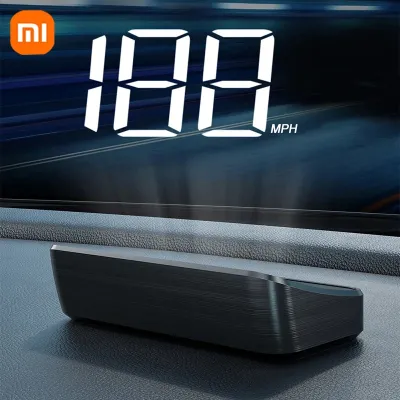
23 Lazada user ratings
The sticker is difficult to stick and no proper instruction. So never use the sticker. No sticker display day ok( a bit not clear due to too…Read full reviewShow less
The sticker is difficult to stick and no proper instruction. So never use the sticker. No sticker display day ok( a bit not clear due to too bright) but at night is clearly display.
very good, speed showing exactly the same as my speedometer.
兼容多种车型, 精准速度读数, 快速发货, 安装简便,
item not working
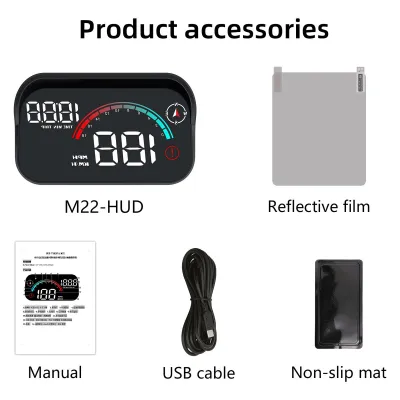
Prices are valid at publication and may change. Please refer to the product page for the latest price.
Brightness and Visibility: Evaluating Lumens and Glare Control
A HUD must remain visible under intense midday sun while remaining dim enough at night to prevent eye strain. When evaluating product specifications, look for units that feature automatic brightness adjustment via a built-in light sensor. Devices that rely solely on manual brightness adjustments can quickly become a safety hazard when driving through tunnels or transitioning from bright daylight to dark roads. Rather than focusing on a single peak lumen rating, which only indicates maximum brightness under ideal conditions, check the manufacturer’s documentation for the range of adjustable brightness levels.

To combat glare from direct sunlight, many HUD units incorporate physical hoods or anti-glare coatings on their lenses. A physical hood blocks overhead sunlight from hitting the projection lens directly, preserving image contrast. If you choose a windshield-projection model, the angle of your windshield plays a significant role in visibility. A very steep or very flat windshield can cause the projected image to wash out or distort. Verify the recommended mounting angles in the product manual to ensure the display remains crisp and legible from your specific seating position. Some advanced models also offer manual contrast adjustments, allowing you to fine-tune the display color—such as switching from white to high-contrast yellow or green—depending on the ambient lighting conditions.
Data Sources and Compatibility: OBD-II Ports vs. GPS Connections
The data source determines what information the HUD can display and how easily it connects to your vehicle. OBD-II HUDs plug directly into your vehicle’s diagnostic port, allowing them to read real-time data directly from the engine control unit (ECU). This connection provides highly accurate speed readings, engine RPM, coolant temperature, fuel consumption, and diagnostic trouble codes. However, OBD-II compatibility is not universal. While most petrol vehicles manufactured after 2008 support standard OBD-II protocols, older vehicles, diesel models, and certain hybrid or electric vehicles (EVs) may use proprietary communication protocols that standard OBD-II HUDs cannot read.
GPS-based HUDs, on the other hand, calculate speed and direction using satellite signals. They only require a power connection, typically from a 12V auxiliary power outlet or a USB port, making them universally compatible with any vehicle regardless of age or engine type. The trade-off is that GPS HUDs cannot display engine data like RPM or coolant temperature, and their speed readings can lag during rapid acceleration or drop out entirely when driving through tunnels, under heavy tree canopies, or between tall buildings. The update rate, measured in Hertz (Hz), is also crucial; a 10Hz GPS receiver updates ten times per second, providing a much smoother speed display than a standard 1Hz receiver. Before purchasing, locate your vehicle’s OBD-II port—usually found under the dashboard on the driver’s side—and consult your owner’s manual to verify protocol compatibility. If your vehicle is a hybrid or EV, check the HUD manufacturer’s compatibility list, as these vehicles often require specialized software to display speed accurately when the petrol engine is off.
Installation Safety: Vision Clearance and Electrical Boundaries
Installing a HUD requires careful planning to avoid compromising your safety on the road. The unit must be positioned so that the projected image sits below your primary line of sight, allowing you to monitor your speed without blocking your view of pedestrians or obstacles. Never place a HUD or its wiring within the deployment zone of any dashboard or pillar airbags. Consult your vehicle’s owner’s manual to identify these safety zones before mounting the device.
Electrical safety is another critical consideration. While plugging a device into an OBD-II port or a 12V outlet is generally straightforward, some drivers attempt to hardwire the HUD into the vehicle’s fuse box for a cleaner look. Before tapping into any vehicle wiring, consult the manufacturer’s electrical diagrams. Improper wiring can cause electrical faults, drain your battery while the vehicle is parked, or void your vehicle’s warranty. If the installation requires removing dashboard panels or modifying any part of the vehicle’s electrical system, seek professional installation from a qualified automotive technician to ensure all connections are safely fused and secured.
Frequently Asked Questions (FAQ)
Do all cars support OBD-II HUD displays?
No, not all vehicles support OBD-II HUD displays. While most petrol cars built after 2008 feature an OBD-II port, the communication protocols can vary significantly. Older classic cars, certain diesel vehicles, and many hybrid or electric vehicles may not transmit standard speed or RPM data through the port in a format that a generic HUD can interpret. Always verify your vehicle’s model year and engine type against the HUD manufacturer’s compatibility list before purchasing.
Can a HUD display cause windshield glare at night?
Yes, a HUD can cause distracting glare or double reflections at night if the brightness is set too high or if the projection angle is incorrect. To prevent this, ensure your HUD has a functioning automatic dimming sensor or manually lower the brightness before driving in the dark. Adjusting the physical mounting angle of the projector can also help direct stray light away from your direct line of sight, keeping the reflection crisp and confined to the designated viewing area.
Community discussion
Share your experience or ask a question. Comments are reviewed before publication.