
Navigating a dense road network requires split-second decisions, whether you are managing toll costs at peak-hour Electronic Road Pricing (ERP) gantries or searching for a specific multi-storey carpark entrance. Drivers generally choose between two primary navigation setups: relying on a smartphone mounted on a magnetic car phone holder, or using the vehicle’s built-in factory navigation system. The ideal choice depends on how you balance real-time traffic accuracy, cabin aesthetics, device thermal management under the tropical sun, and compliance with local road safety laws. While built-in systems offer seamless dashboard integration, smartphone-based setups provide unmatched routing flexibility and instant updates.
Comparing Map Accuracy and Real-Time Routing
Built-in navigation systems often rely on static map databases stored on internal storage or SD cards. Updating these maps typically requires visiting an authorized dealership or purchasing proprietary software updates, which can be costly and infrequent. Consequently, newly constructed roads, temporary diversions, or modified slip roads might not appear on your dashboard for months after they open to traffic.
In contrast, smartphone navigation apps update their maps continuously in the background without requiring manual intervention. These platforms leverage crowdsourced data from thousands of active road users to provide real-time traffic conditions. For a driver, this means instant alerts about accidents or congestion, allowing the app to recalculate a faster route dynamically to bypass bottlenecks.
Products mentioned in this guide
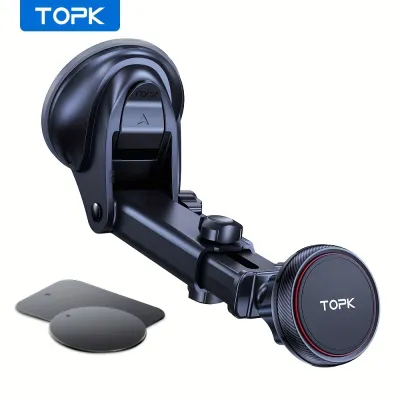
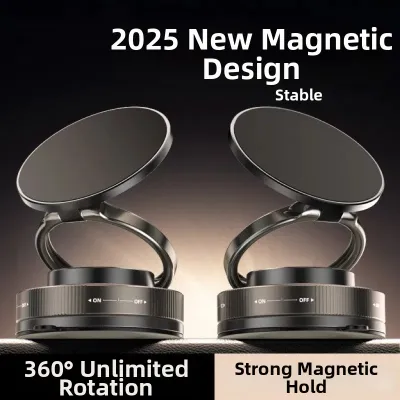
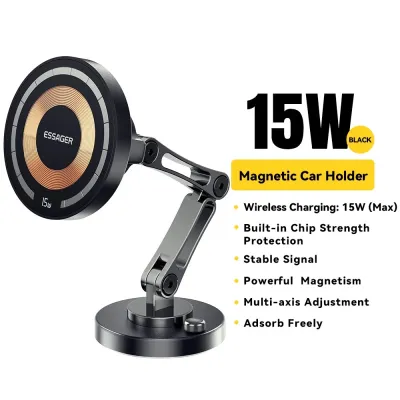




![🇸🇬[Ready Stock] New 360 Rotation Vacuum Suction Cup Phone Holder Foldable Magnetic Magsafe Car Phone Mount for Gym/Mirror/Smooth Surface](https://img.lazcdn.com/g/p/8209a6499e644df04a911de525ca3b30.jpg_400x400q80.jpg_.webp)
Prices are valid at publication and may change. Please refer to the product page for the latest price.
Address search functionality is another critical differentiator. Smartphone apps excel at interpreting natural language queries and precise six-digit postal codes, which are highly reliable for locating specific buildings. Built-in systems, especially older models, often require structured address inputs—such as street name followed by house number—which can be tedious to input via physical dials or resistive touchscreens.
Pros and Cons of a Magnetic Car Phone Holder Setup
Using a smartphone paired with a magnetic car phone holder is highly popular due to its convenience and low entry cost. A magnetic mount allows you to snap your phone into place instantly when entering the vehicle and detach it just as quickly when reaching your destination. This setup preserves dashboard space compared to bulky mechanical cradles and keeps your device within your natural line of sight.

However, physical installation requires careful consideration of your vehicle’s specific interior layout. You must verify that the mount’s attachment mechanism—whether it uses a suction cup, dashboard adhesive, or an air vent clip—is compatible with your vehicle’s interior materials and vent design. Some circular or heavily angled vents cannot securely support clip-on magnetic mounts, risking a dropped device during sudden braking or sharp turns. Always check the manufacturer’s documentation for weight limits and mounting compatibility before purchasing.
Thermal management is a significant challenge in hot, tropical climates. Placing a smartphone on the dashboard or windshield exposes it to direct sunlight through the glass. Running intensive GPS navigation while simultaneously charging the device generates substantial internal heat, which can cause the phone to overheat. This often leads to dimmed screens, suspended charging, or sudden thermal shutdowns mid-journey. To mitigate this, many drivers prefer mounting the holder to an air vent, allowing the air conditioning to cool the device, though this blocks airflow to the cabin.
Cable management is another practical drawback of this setup. Unless your vehicle features a well-placed USB port near the mounting site, routing a charging cable from the center console to the phone holder can create unsightly clutter. Loose cables can also interfere with physical gear shifters, console controls, or your hands while steering.
Pros and Cons of Built-In Car Navigation
Built-in car navigation systems offer a clean, integrated aesthetic that aftermarket accessories cannot match. Because the system is hardwired into the vehicle’s electronics, it functions without dangling cables, suction marks on the glass, or blocked air vents. The navigation prompts integrate directly with the vehicle’s audio system, automatically lowering the volume of your music or radio when a voice instruction is announced.
Visibility is another major advantage of factory-installed screens. These displays are typically recessed or treated with anti-glare coatings designed to remain readable under bright, direct sunlight. Furthermore, because these systems do not rely on a separate battery-powered device, they are immune to the thermal shutdown issues that plague smartphones exposed to high cabin temperatures.
The primary drawback of built-in navigation is its long-term maintenance and potential obsolescence. As the vehicle ages, the hardware can feel increasingly sluggish compared to the rapid processing power of modern smartphones. If the manufacturer stops supporting the vehicle model with software updates, the built-in system may become obsolete, unable to recognize new housing estates or highway extensions.
Safety and Legal Rules for Drivers
Safety and legal compliance must guide your choice of navigation setup. Under local road traffic laws, it is an offence for a driver to hold and operate any mobile communication device while the vehicle is in motion. This law is strictly enforced, and violations carry heavy fines and demerit points. To remain compliant, any smartphone used for navigation must be securely mounted in a holder, and you must avoid typing or interacting with the screen while driving.
Mounting position is critical for both legal compliance and physical safety. You must ensure that the magnetic car phone holder is positioned so that it does not obstruct your forward view of the road. Additionally, refer to your vehicle’s owner manual to identify the exact deployment zones for all cabin airbags. Placing a mount or a phone directly over an airbag cover on the dashboard or A-pillar can turn the device into a dangerous projectile if the airbag deploys during a collision.
Local driving conditions also demand quick access to specific information. When navigating busy roads, drivers must constantly anticipate ERP gantries to manage toll costs and locate specific carpark entrances, especially within complex public housing estates. A well-positioned navigation screen allows you to glance at upcoming lane guidance and toll alerts without taking your eyes off the road for more than a split second.
Which Setup Should You Choose?
To decide on the best setup, evaluate your daily driving habits, vehicle capabilities, and personal preferences. A magnetic car phone holder setup is highly recommended if you prioritize real-time traffic routing, frequent map updates, and the flexibility to use various navigation and media apps without paying subscription or update fees. It is an affordable, highly adaptable solution for drivers who do not mind managing charging cables and device heat.
Conversely, a built-in navigation system is the better choice if you prefer a completely clutter-free dashboard, value integrated audio prompts, and want to avoid the distraction of a mounting accessory. It provides a highly stable, reliable navigation experience that is immune to cellular signal dropouts in deep underground tunnels or carparks.
Before purchasing any new hardware, verify whether your vehicle’s head unit supports smartphone projection systems like Apple CarPlay or Android Auto. This hybrid solution offers the best of both worlds: it projects your phone’s real-time navigation apps directly onto the vehicle’s built-in, anti-glare screen, utilizing the car’s integrated audio system while keeping your phone safely tucked away or mounted out of direct sunlight.
Community discussion
Share your experience or ask a question. Comments are reviewed before publication.