
Navigating the bustling streets of Singapore requires quick decision-making, whether you are weaving through the high-rise canyons of the Central Business District or planning a weekend drive across the Causeway. Choosing between a dedicated car GPS navigator and a smartphone navigation app is not a matter of finding a single, universally superior tool. Instead, the right choice depends heavily on your daily data reliance, your hardware budget, and your vehicle’s existing dashboard setup.
Dedicated GPS units offer large, glare-resistant screens and reliable offline mapping that functions independently of cellular networks. On the other hand, smartphone apps excel at delivering rapid, crowd-sourced traffic updates and require zero upfront hardware costs if you already own a compatible device. By comparing these two solutions across positioning accuracy, real-time traffic optimization, long-term costs, and physical convenience, you can determine which setup best aligns with your driving habits.
Core Differences in Navigation Accuracy and Reliability
Dense urban environments present unique challenges for global positioning systems. In Singapore, driving through areas with tightly packed skyscrapers or entering subterranean expressways like the Marina Coastal Expressway (MCE) can temporarily disrupt satellite signals. Dedicated car GPS navigators often feature high-sensitivity, external-facing antennas or specialized multi-constellation receivers designed to maintain a lock on multiple satellite networks simultaneously. This dedicated hardware can reduce the time it takes to re-establish your position when exiting a tunnel or navigating deep within urban canyons.
Products mentioned in this guide
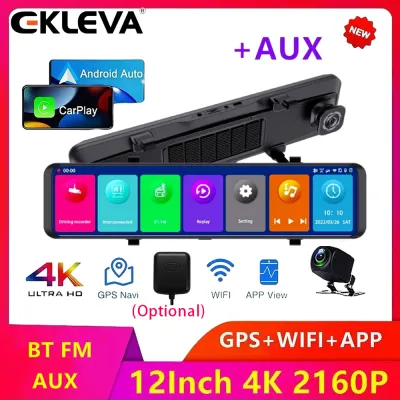
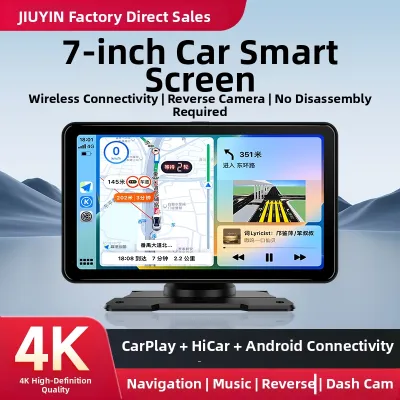
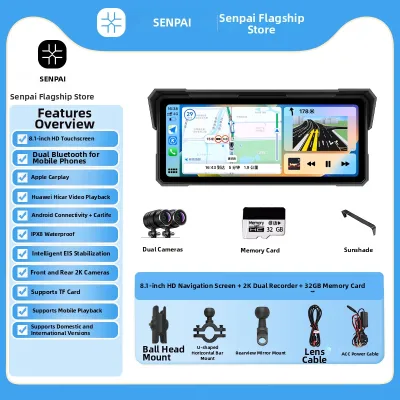
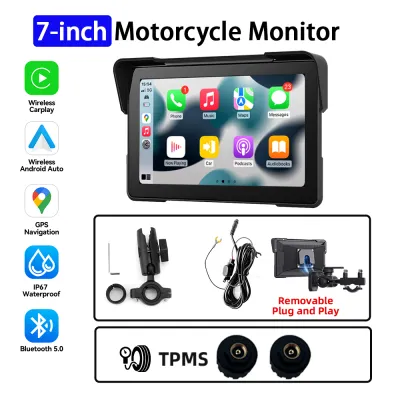
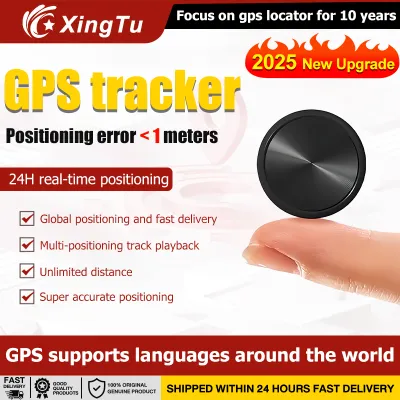
Prices are valid at publication and may change. Please refer to the product page for the latest price.
Smartphones rely on integrated GPS chips that share space and power with cellular, Wi-Fi, and Bluetooth antennas. While modern smartphones use Assisted GPS (A-GPS) to estimate your location quickly using nearby cellular towers and Wi-Fi networks, they can struggle when cellular signals weaken or when transitioning rapidly between underground and above-ground roads. If your daily commute involves frequent trips through underground tunnels, a dedicated unit with dead reckoning technology—which uses internal sensors to estimate position based on speed and direction—can offer more consistent tracking.
To evaluate a dedicated unit’s positioning reliability before purchasing, check the manufacturer’s specifications for multi-GNSS support, which includes systems like GPS, GLONASS, and Galileo. For smartphones, ensuring that your location services are set to high accuracy and regularly calibrating the internal compass can help mitigate positioning drift. Additionally, verify whether your chosen navigation tool allows you to download offline maps, as local cellular network congestion can delay map rendering precisely when you need to make a critical turn.
Real-Time Traffic Updates and Route Optimization
Avoiding congestion during peak hours is a priority for any driver in Singapore. Smartphone navigation apps leverage massive networks of active users to provide real-time, crowd-sourced traffic data, instantly flagging accidents, road closures, and sudden bottlenecks. This high-frequency data stream allows mobile apps to recalculate routes dynamically, helping you bypass unexpected delays on major expressways like the Pan Island Expressway (PIE) or Central Expressway (CTE).

Dedicated car GPS navigators handle traffic data differently, often relying on proprietary broadcast feeds or digital traffic receiver accessories. While some high-end standalone units offer real-time traffic updates via a paired smartphone link or built-in cellular modems, others may update less frequently or require a paid subscription after an initial trial period. Before purchasing a dedicated navigator, verify the specific data source it uses for traffic updates and check how often the device refreshes this information.
The continuous data stream required by smartphone apps makes them highly dependent on active mobile data connections. If you frequently drive through areas with poor cellular coverage or experience network congestion during peak hours, your phone app may fail to update traffic conditions or load alternative routes. Understanding your regular routes and identifying potential network dead zones can help you decide if the offline stability of a dedicated unit outweighs the rapid, crowd-sourced updates of a mobile app.
Cost Analysis: Upfront Hardware vs Ongoing Expenses
Evaluating the financial aspect of your navigation setup requires looking beyond the initial price tag. A dedicated car GPS navigator represents a distinct upfront investment, which typically includes the device itself, a specialized dashboard or windshield mount, and a compatible vehicle power cable. While this initial cost can be higher than using a phone you already own, it provides a single-purpose device that does not consume your phone’s resources or wear down its hardware.
Smartphone navigation appears cost-effective at first glance, but it carries several indirect and ongoing expenses. Running GPS-intensive applications with the screen continuously active generates significant heat, which can accelerate smartphone battery degradation over time. Additionally, continuous map rendering and real-time traffic streaming consume mobile data, which may lead to extra charges if you exceed your monthly local data bundle or travel across the border without a suitable roaming plan.
When comparing options, review the long-term maintenance costs associated with map updates. Many dedicated GPS manufacturers offer lifetime map updates, but some models may require paid subscriptions or manual downloads via a computer to keep road networks current. For smartphone apps, verify whether your preferred navigation platform requires a premium subscription for advanced features, such as lane guidance or offline map downloads, to calculate the true cost of ownership over several years.
Convenience, Screen Visibility, and Dashboard Integration
Physical usability and safety should guide your choice of navigation hardware. Dedicated car GPS navigators are engineered specifically for automotive environments, featuring matte, anti-glare screens that remain highly visible even under direct, intense sunlight. Their displays are optimized for quick glances, utilizing high-contrast color schemes and simplified interfaces that minimize driver distraction while navigating complex junctions.
Smartphones generally feature glossy screens that can produce distracting reflections in bright daylight, making them harder to read without turning the brightness to its maximum level. This high brightness, combined with continuous processing and GPS tracking, often leads to device overheating, especially when the phone is mounted on the windshield under the tropical sun. When a smartphone overheats, it may dim the screen automatically, slow down performance, or shut down entirely to protect its internal components.
Mounting and cable management also impact safety and convenience. A dedicated navigator often comes with robust, vehicle-specific mounting hardware designed to minimize vibration and keep the device securely in place. If you choose to use a smartphone, you must invest in a high-quality dashboard or air vent mount that does not obstruct your view of the road or interfere with your vehicle’s controls. Always check your vehicle’s dashboard layout to ensure that any mounted device does not block deployment zones for airbags or restrict access to essential console buttons.
Decision Framework: Choosing the Right Navigation Setup
To finalize your decision, consider how your driving patterns align with the strengths of each system. A dedicated car GPS navigator is highly suitable if you frequently drive long distances, regularly travel cross-border where mobile data roaming is expensive or unreliable, or prefer a permanent dashboard fixture that is always ready to use without draining your phone’s battery. This setup is also ideal for drivers who prioritize offline reliability and want to avoid the distractions of incoming calls and notifications while on the road.
Conversely, smartphone navigation is the practical choice if your driving is primarily local, casual, and centered around urban areas with excellent cellular coverage. If you rely heavily on real-time, crowd-sourced traffic alerts to shave minutes off your daily commute and prefer not to manage an extra electronic device, a smartphone app fits seamlessly into your existing routine. This option also allows you to leverage frequent software updates and new features without purchasing new hardware.
Before buying any external navigation equipment, verify your vehicle’s built-in infotainment capabilities. Many modern vehicles come equipped with systems that support smartphone integration protocols, allowing you to project your phone’s navigation apps directly onto the car’s built-in dashboard screen. If your vehicle supports this integration, you can enjoy the real-time updates of mobile apps alongside the large, integrated screen benefits of a dedicated system, rendering an external standalone GPS unit unnecessary.
Frequently Asked Questions (FAQ)
Can I use a car GPS navigator without a SIM card or mobile data?
Yes, dedicated car GPS navigators are designed to function entirely without a SIM card or active mobile data connection. They rely on pre-loaded map databases stored on their internal memory or an external memory card, using their built-in GPS receivers to calculate your position directly from satellite signals. However, keep in mind that advanced features, such as live traffic updates, weather forecasts, or real-time speed camera alerts, may still require a temporary Wi-Fi connection or a Bluetooth link to your smartphone’s data connection.
Do smartphone navigation apps drain the car battery when plugged in?
Smartphone navigation apps can drain your battery faster than a standard USB port can charge it, depending on the power output of your vehicle’s connection. Standard built-in USB ports in older vehicles often provide lower amperage, which may only slow down the rate of battery discharge while running intensive GPS and screen operations. To ensure stable power delivery and keep your phone charged, check your phone’s battery health settings and use a high-output 12V cigarette lighter adapter designed to deliver sufficient amperage for fast charging.
Are dedicated GPS devices legally allowed to be mounted on the windshield?
In Singapore, the primary legal and safety requirement is to maintain a completely clear and unobstructed view of the road while driving. Any mounted device, whether a dedicated GPS unit or a smartphone, must not block your direct line of sight or interfere with your control of the vehicle. Before installing any mount, consult the guidelines provided by the Land Transport Authority (LTA) or local traffic police, and position the device low on the dashboard or in a corner of the windshield where it does not compromise your field of vision.

Community discussion
Share your experience or ask a question. Comments are reviewed before publication.