
Choosing between a vehicle’s built-in GPS and a smartphone secured by a Baseus car mount comes down to balancing integrated convenience against real-time navigation agility. For drivers navigating Singapore’s rapidly changing road networks, Electronic Road Pricing (ERP) zones, and dense urban corridors, this decision directly impacts daily commute times and driving comfort. While native systems offer clean dashboard aesthetics and seamless audio integration, a smartphone paired with a reliable physical mount provides unmatched routing flexibility and live traffic updates. Deciding which setup to rely on requires evaluating your vehicle’s age, your daily route complexity, and how well each option handles the unique tropical driving conditions of the region.
Navigation Accuracy and Real-Time Traffic Updates
Singapore’s road infrastructure is exceptionally dynamic, featuring frequent lane reconfigurations, temporary diversions for transit construction, and variable ERP rates that influence optimal route planning. Smartphone navigation applications excel in this environment because they leverage crowd-sourced, real-time data to update routes instantly. These applications can detect sudden bottlenecks on major expressways like the PIE or CTE and suggest alternative paths before you get stuck in traffic.
In contrast, built-in car GPS systems often rely on static map databases that require manual updates or periodic manufacturer subscriptions. Depending on the vehicle brand, these map updates may only be released quarterly or annually, meaning newly opened expressway extensions or modified slip roads might not appear on your dashboard screen for months. If you rely solely on an outdated native system, you risk missing critical exits or taking inefficient routes that do not account for active roadworks or sudden lane closures.
Products mentioned in this guide

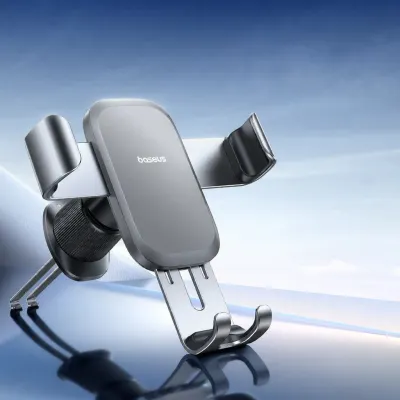
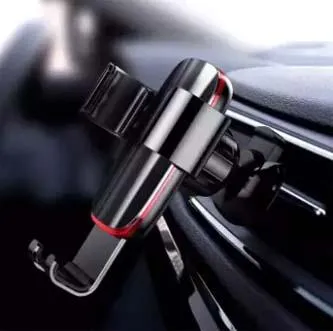

Prices are valid at publication and may change. Please refer to the product page for the latest price.
Screen visibility under Singapore’s intense, year-round tropical sunlight is another critical factor to consider. Integrated infotainment screens are typically recessed or angled by vehicle designers to minimize glare, and they often feature high-contrast displays optimized for daytime driving. When mounting a smartphone, you must carefully position the device to avoid direct sunlight, which can wash out the screen and make map details difficult to read. Using a high-quality mount with adjustable viewing angles allows you to tilt the phone away from direct glare, ensuring you can see turn-by-turn directions clearly without taking your eyes off the road.
Setup Convenience and Daily Usability
The physical integration of a built-in GPS system offers a polished user experience that aftermarket setups struggle to replicate. Native navigation systems are hardwired into the vehicle’s electronics, allowing audio prompts to seamlessly lower the volume of your music or radio when a turn instruction is announced. Furthermore, many modern vehicles project navigation arrows directly onto the instrument cluster or a Head-Up Display (HUD) on the windshield, keeping essential driving information directly in your line of sight.

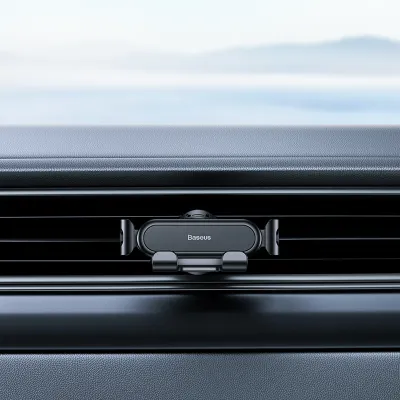
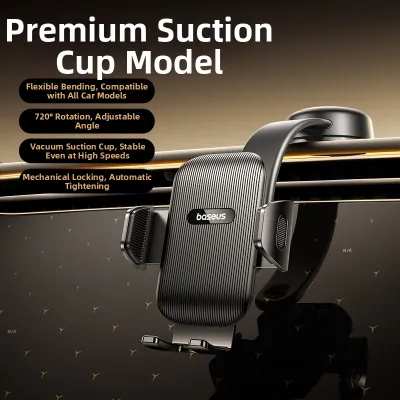
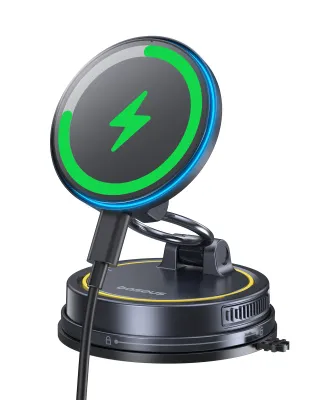
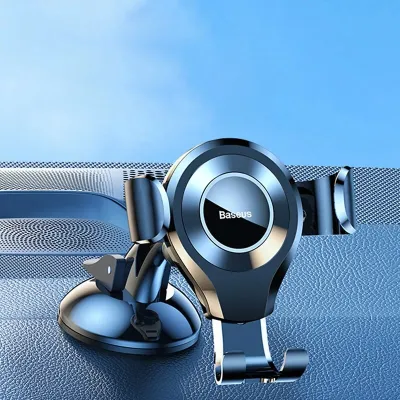
Using a smartphone with a Baseus car mount introduces a different set of physical dynamics that require careful management. A physical mount must be securely attached to an air vent, dashboard, or windshield to prevent the phone from vibrating or falling during sudden stops or sharp turns. While a well-designed mount offers excellent stability and allows you to position the phone at an optimal viewing angle, it also requires you to manage charging cables. Running a cable from your car’s USB port or 12V socket to the mounted phone can clutter the center console if not neatly routed.
Additionally, running intensive GPS applications on a smartphone while continuously charging the battery generates significant heat. When the phone is positioned near the windshield or dashboard, exposure to direct sunlight combined with internal processing heat can cause the device to overheat. In Singapore’s hot climate, an overheating phone may dim its screen, slow down performance, or shut down entirely to protect its battery. To mitigate this, many drivers prefer mounting their phone on an air vent, where the cool air from the air conditioning system helps regulate the device’s temperature during long drives.
Cost Analysis: Upgrades vs. Accessories and Data
Evaluating the financial aspect of your navigation setup involves comparing immediate accessory costs against long-term maintenance and subscription fees. Built-in GPS systems can become surprisingly expensive to maintain as a vehicle ages. Manufacturers often charge substantial fees for official map update packages, and some require ongoing monthly or annual subscriptions to access connected services like live traffic overlays. Furthermore, if the integrated infotainment hardware fails out of warranty, repairing or replacing the head unit can result in a significant bill at the dealership.
On the other hand, relying on a smartphone navigation setup requires a minimal initial investment. A high-quality Baseus car mount is a one-time purchase that is highly affordable and can be transferred easily if you change vehicles. The ongoing cost is tied primarily to your mobile data plan, which is a utility most drivers already pay for. Because modern navigation apps are highly optimized, their data consumption is relatively low, easily fitting within standard local data allowances without incurring extra charges.
To determine the most cost-effective path, consider your planned vehicle ownership duration and daily driving habits. If you plan to keep your car for several years and the manufacturer charges high fees for map updates, transitioning to a smartphone-based setup is highly economical. Conversely, if your vehicle includes complimentary lifetime map updates and seamless connectivity, utilizing the built-in system allows you to maximize the value of your vehicle’s existing features without purchasing additional accessories.
How to Choose the Right Setup for Your Daily Commute
To select the optimal navigation setup, begin by assessing the age and capabilities of your vehicle’s infotainment system. If your car features a modern, connected system with an active map subscription, clear screen visibility, and seamless integration with your steering wheel controls, the built-in GPS is highly effective. This setup is ideal for drivers who prefer a clean, cable-free dashboard and do not frequently drive through areas with rapid infrastructure changes.
If your vehicle’s built-in maps are outdated, expensive to update, or lack real-time traffic integration, a smartphone paired with a Baseus car mount is the superior choice. This combination is particularly beneficial for daily commuters who need up-to-the-minute traffic alerts to bypass congestion and optimize their travel times. It also offers the flexibility to use your preferred navigation app, complete with saved locations and personalized settings.
Before finalizing your decision, verify the physical layout and power capabilities of your vehicle’s cabin. Check that your USB ports or 12V accessory sockets deliver sufficient power output to keep your smartphone charged while running demanding GPS applications. Additionally, inspect your dashboard and air vents to ensure they can securely accommodate your chosen mount style without blocking essential controls or obstructing your view of the road.
Frequently Asked Questions (FAQ)
Will a car mount damage my air vents or dashboard?
Whether a car mount causes damage depends heavily on the mounting mechanism and your vehicle’s interior materials. Air vent mounts clip onto the plastic blades, so it is essential to check the strength and thickness of your vent blades before installation; avoid applying excessive force on fragile or thin vents. Suction cup and adhesive mounts are designed for flat dashboard or windshield surfaces, but some soft-touch dashboard plastics or leather wraps can be sensitive to strong adhesives or prolonged suction pressure. To prevent permanent marks or structural damage, consult your vehicle’s interior care manual and follow the mount manufacturer’s installation instructions carefully, opting for gentle clamping mechanisms or glass-mounted options if your dashboard materials are delicate.
Can I use Android Auto or Apple CarPlay instead of a physical mount?
If your vehicle’s head unit natively supports Android Auto or Apple CarPlay, you can mirror your smartphone’s navigation apps directly onto the dashboard screen, which often eliminates the need for a physical mount. To determine compatibility, check your vehicle’s manual or connect your phone via USB to see if the system launches automatically. However, a physical Baseus car mount remains highly useful in several scenarios, such as when driving older vehicle models that lack smart displays, or when using a wired connection that frequently disconnects due to a loose port. In these cases, securing your phone in a dedicated mount ensures you maintain a stable, safe, and easily viewable navigation screen throughout your journey.

Community discussion
Share your experience or ask a question. Comments are reviewed before publication.