
Quick Answer: Built-In Nav vs Phone Holder
For most drivers in Singapore, using a smartphone paired with a reliable handphone car holder offers a superior, more flexible, and highly cost-effective navigation experience. This setup provides immediate access to real-time traffic updates, crowd-sourced road alerts, and automatic route optimization to avoid costly Electronic Road Pricing (ERP) gantries during peak hours. The continuous, free map updates ensure that you are never left navigating outdated road networks in rapidly developing housing estates.
Conversely, native built-in car navigation systems excel in terms of interior aesthetics, seamless vehicle integration, and long-term hardware durability. Because they are integrated directly into the dashboard, they do not clutter your windshield or block air conditioning vents. Furthermore, they are engineered to withstand the intense tropical heat that builds up inside a vehicle parked under the direct Singapore sun without suffering from thermal shutdown or battery degradation.
While modern infotainment systems equipped with Apple CarPlay or Android Auto bridge this gap by projecting smartphone apps onto the car’s built-in screen, this comparison focuses specifically on standalone native built-in systems versus a mobile phone mounted on a dedicated holder.
Products mentioned in this guide
![🇸🇬[Ready Stock] Magnetic Vacuum Suction Phone Holder 360° Adjustable Electric Magsafe Car Phone Mount Double-Sided Phone Holder Navigation Support](https://img.lazcdn.com/g/p/cc8c48cc83d3c908248bced914b4bc06.jpg_400x400q80.jpg_.webp)
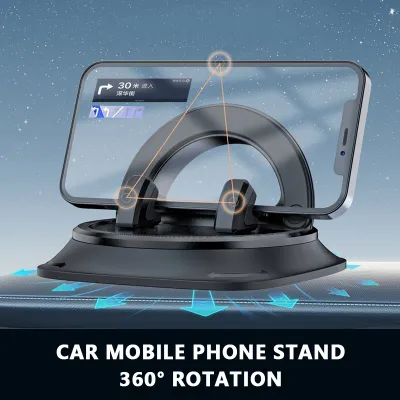

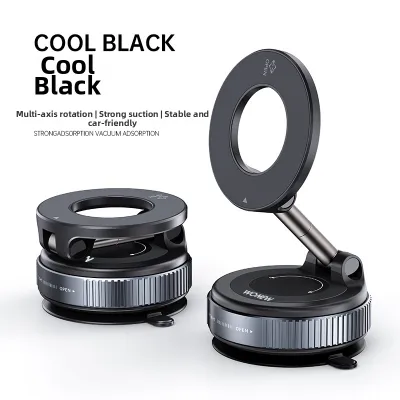

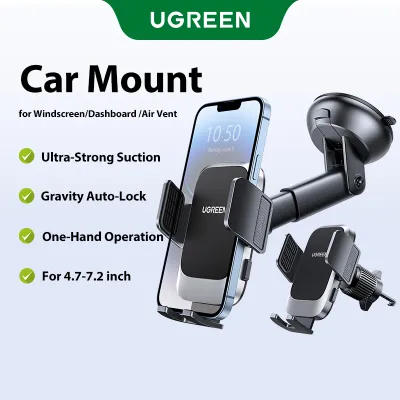
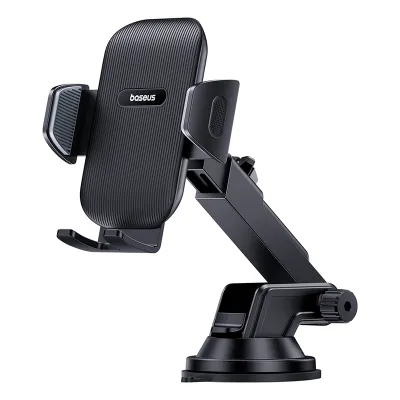
Prices are valid at publication and may change. Please refer to the product page for the latest price.
Cost and Setup: Built-In Systems vs Handphone Car Holders
Choosing between these two systems requires evaluating both your upfront financial investment and the physical installation requirements of each setup.

Built-in Navigation
Native built-in systems represent a significant financial commitment. If you are purchasing a new vehicle, factory-fitted navigation is often bundled into premium trim levels that can add thousands of dollars to the purchase price. For aftermarket head unit upgrades, high-quality touchscreen receivers from reputable brands typically cost between S$500 and S$1,500.
Because these systems require integration with your vehicle’s existing wiring harness, steering wheel controls, and reversing cameras, professional installation by a qualified technician is highly recommended. Attempting a DIY installation without proper automotive electrical knowledge risks damaging your vehicle’s electrical system, voiding your manufacturer warranty, or interfering with safety systems. The main benefit of this professional route is a clean, integrated dashboard look completely free of dangling power cables.
Phone and Holder Setup
The barrier to entry for smartphone navigation is incredibly low, as most drivers already own a high-performance mobile phone. The only additional investment required is a dedicated handphone car holder, which typically ranges from S$15 to S$60 depending on the build quality, brand, and mounting mechanism.
Holder Types
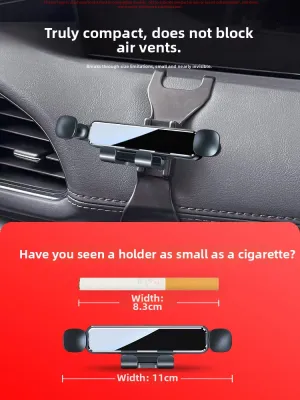
- Air Vent Clips: These attach directly to your car's air conditioning louvers. They are highly popular because they position the phone within easy reach and keep the device cool using the AC airflow. However, you must verify that the clip design is compatible with your specific vent shape (horizontal, vertical, or circular) to avoid physical damage.
- Suction Cups: Designed for windshields or smooth dashboard surfaces, these offer highly flexible positioning. However, Singapore's intense tropical heat and high humidity can rapidly degrade the polyurethane gel adhesive, causing the mount to lose suction and fall unexpectedly while driving. Always verify that your dashboard material can handle adhesive or suction mounts without leaving permanent residues or causing discoloration.
- CD Slot Mounts: These insert into unused CD player slots, offering a highly stable mounting point that does not block your view of the road. However, they are increasingly obsolete as newer vehicle models phase out physical CD players entirely.
Real-Time Traffic and Map Accuracy in Singapore
Navigating Singapore’s highly dynamic road network requires a system that can adapt instantly to changing conditions, roadworks, and variable toll rates.
Smartphone Apps
Mobile applications such as Waze and Google Maps are the undisputed leaders in real-time navigation accuracy. These platforms leverage massive, active user bases to provide instant, crowd-sourced updates on traffic congestion, sudden accidents, road hazards, and speed camera locations. For Singapore drivers, their greatest strength is intelligent ERP routing. These apps calculate ERP costs in real time, allowing you to choose between the absolute fastest route or a slightly longer route that avoids expensive gantry charges on major expressways like the Central Expressway (CTE) or Pan Island Expressway (PIE). Map updates are seamless, automatic, and completely free, ensuring you are always aware of new flyovers, lane closures, or modified layouts.
Built-in Systems
Native car navigation systems generally rely on static maps stored on SD cards, hard drives, or internal flash memory. Updating these maps typically requires downloading bulky files manually, visiting an authorized dealership, or paying for annual map subscription updates. As a result, native systems struggle to keep pace with Singapore’s rapidly evolving road infrastructure. They also lack the granular, minute-by-minute crowd-sourced alerts that make smartphone navigation so effective, often failing to warn you of sudden traffic build-ups or minor accidents ahead.
Offline Reliability
Built-in systems hold a distinct advantage when it comes to signal reliability. They are typically connected to the vehicle’s external GPS antenna and speed sensors, allowing them to calculate your position via dead reckoning even when cellular signals are completely blocked. This is particularly useful in Singapore’s extensive underground road network, such as the Marina Coastal Expressway (MCE) or Kallang-Paya Lebar Expressway (KPE) tunnels, and deep multi-story basement car parks where smartphones frequently lose GPS lock and cellular data connectivity.
Usability, Screen Size, and Vehicle Integration
The daily user experience of navigating is heavily influenced by how easily you can read directions and interact with the system while maintaining focus on the road.
Built-in Advantages
Native navigation systems are designed from the ground up for the automotive environment. They feature large, high-contrast, anti-glare screens integrated directly into the dashboard at an ergonomic height, minimizing the time your eyes are off the road. They interface seamlessly with physical steering wheel buttons, allowing you to adjust volume or mute prompts without taking your hands off the wheel. Furthermore, navigation audio is intelligently integrated; the system will automatically lower the volume of the radio or media playback when a voice prompt is spoken, and some premium vehicles can project turn-by-turn directions directly onto a Head-Up Display (HUD) on the windshield.
Phone and Holder Experience
A phone mounted on a holder offers a highly familiar user interface but comes with physical limitations. Even large smartphones have significantly smaller screens than modern car displays, making small text and complex lane guidance harder to read at a glance. Operating a touch-only interface on a vibrating mount is inherently more difficult and less precise than using integrated physical controls, posing a potential safety hazard if attempted while the vehicle is in motion.
Audio Routing
Routing audio from a mounted phone can also introduce minor friction. While Bluetooth connections are standard, drivers may experience audio lag or delayed voice prompts, particularly when the phone is trying to manage music streaming and navigation audio simultaneously over an older car’s infotainment system. If your vehicle’s Bluetooth connection is unreliable, you may have to rely on the phone’s built-in speaker, which can be difficult to hear over tire noise and heavy rain.
Heat, Battery Drain, and Hardware Wear in Tropical Climates
Singapore’s tropical climate poses a severe challenge to consumer electronics, making hardware durability a key factor in your decision.
Thermal Stress
When a smartphone is mounted on a windshield or dashboard suction holder, it is exposed to direct sunlight through the glass. Simultaneously running GPS tracking, maintaining a continuous mobile data connection, and keeping the screen at maximum brightness generates immense internal heat. This combination frequently causes smartphones to reach critical temperatures, leading to thermal throttling (where the screen dims dramatically and performance stutters) or triggering an automatic thermal shutdown to protect the hardware, leaving you without navigation in the middle of a journey.
Battery Degradation
Operating a phone under these extreme thermal conditions while continuously plugged into a car charger is highly detrimental to lithium-ion batteries. The combination of high ambient heat, active charging, and high power draw accelerates chemical aging, leading to swollen batteries, reduced overall capacity, and shortened device lifespans.
Built-in Durability
Conversely, built-in automotive navigation hardware is specifically engineered to meet strict automotive-grade standards. These systems are designed to operate reliably across extreme temperature ranges, from freezing cold to the stifling 60°C+ heat that accumulates inside a car parked under the sun in an open-air HDB parking lot. They do not suffer from thermal shutdowns or battery swelling.
For drivers who prefer the phone holder route, managing this heat is crucial. Using an air vent mount allows the car’s air conditioning to cool the phone directly. Additionally, routing your charging cables neatly away from direct sunlight and using high-quality, heat-resistant cables can help mitigate hardware wear.
Safety, Legal Compliance, and Driving Distractions
Ensuring your navigation setup complies with local laws and minimizes driving distractions is essential for safe journeying.
Legal Mounting Rules
Compliance with local laws is a non-negotiable aspect of driving in Singapore. Under Section 65B of the Road Traffic Act, it is a serious offense for a driver to hold a mobile communication device in their hand while the vehicle is in motion. To remain legally compliant, any smartphone used for navigation must be securely mounted in a dedicated handphone car holder. Drivers must operate the device hands-free, utilizing voice commands or setting up the destination before starting the journey.
Placement and Visibility
When installing a handphone car holder, placement is critical. The mount must not obstruct the driver’s forward view of the road or block side mirrors. It is equally vital to ensure that the holder and the mounted phone do not interfere with the deployment zones of the vehicle’s airbags, particularly the passenger-side dashboard airbag or side-curtain airbags. Always consult your vehicle’s owner manual to locate the exact boundaries of passenger-side and side-curtain airbags before mounting any accessory.
Distraction Management
Built-in navigation systems are generally designed with safety lockouts that restrict complex menu inputs while the car is moving, and they naturally filter out personal notifications. A mounted smartphone, however, sits directly in your peripheral vision and can display distracting incoming text messages, social media alerts, or phone calls. To maintain safety, drivers using a phone holder should enable “Do Not Disturb While Driving” modes or configure their operating system to silence non-essential notifications while on the road.
How to Choose the Right Navigation Setup
Your final choice should align with your budget, driving habits, and vehicle capabilities.
Choose Phone + Handphone Car Holder if:
- You drive frequently during peak hours and rely heavily on real-time, crowd-sourced traffic data to bypass congestion on major expressways.
- You want to avoid the high capital expense of upgrading an older vehicle's physical head unit.
- You prefer a highly customizable navigation experience using familiar, constantly updated apps like Google Maps or Waze.
- You want an easy, non-invasive installation that can be transferred between different vehicles or rental cars.
Choose Built-in Navigation if:
- You prioritize a clean, minimalist dashboard aesthetic completely free of exposed brackets, suction marks, and charging cables.
- You value seamless integration with your steering wheel controls, vehicle speakers, and Head-Up Display.
- You frequently drive through long underground tunnels or remote areas where mobile data reception is spotty or non-existent.
- You want to protect your personal smartphone from the accelerated battery degradation and thermal stress caused by Singapore's intense tropical climate.
Verify First if:
Before committing to either extreme, check if your vehicle’s existing infotainment system supports Apple CarPlay or Android Auto (either wired or wireless). This modern integration provides the best of both worlds. It projects the real-time, crowd-sourced maps of your smartphone directly onto the vehicle’s large, integrated, anti-glare dashboard screen. This setup eliminates the need for a physical handphone car holder while keeping the phone safely tucked away in a cool glovebox or console compartment, bypassing the thermal issues associated with dashboard-mounted devices.
Frequently Asked Questions (FAQ)
Does mounting a handphone car holder on the air vent damage the AC?
While air vent mounts are highly effective at keeping your smartphone cool using the air conditioner’s cold airflow, they can pose a physical risk to your vehicle’s interior. The combined weight of a modern smartphone and a heavy-duty holder puts continuous mechanical stress on the thin, fragile plastic louvers of the air vent. Over time, or when driving over speed bumps, this weight can cause the horizontal or vertical slats to crack, warp, or snap entirely. To prevent damage, check your vehicle’s vent design; circular or highly stylized vents are particularly vulnerable. If you choose a vent mount, select a model that features an adjustable lower support hook or kickstand designed to distribute the weight onto the surrounding dashboard trim rather than relying solely on the vent blades.
Is a built-in navigation system worth the cost for a used car buyer?
For buyers navigating Singapore’s used car market, a native, factory-fitted built-in navigation system rarely justifies paying a premium. Unless the pre-owned vehicle features a modern infotainment system that supports smartphone projection (Apple CarPlay or Android Auto) or has an active, built-in SIM card for live traffic updates, older native systems are often obsolete. Their maps are likely outdated, and updating them through authorized dealerships can be surprisingly expensive. Given the superior real-time routing, ERP optimization, and zero-cost updates offered by mobile apps on a phone mounted in a handphone car holder, a basic built-in system should not be a major deciding factor or a reason to pay more for a used vehicle.
Community discussion
Share your experience or ask a question. Comments are reviewed before publication.