
Navigating the busy streets of Singapore requires quick decision-making, whether you are dodging peak-hour congestion on the Pan Island Expressway (PIE) or finding the correct lane split near the Central Business District (CBD). For daily drivers, the choice of navigation system directly impacts commute times, stress levels, and road safety. While many modern vehicles come equipped with factory-installed, built-in GPS navigation, an increasing number of drivers are turning to smartphone-based navigation projected onto their car’s infotainment screen via a wireless adapter like the OttoCast CarPlay. Both systems offer distinct advantages, but they cater to different driving habits, technological preferences, and tolerances for map maintenance.
Deciding between these two setups involves weighing the offline reliability and deep vehicle integration of a built-in system against the real-time, crowdsourced agility of phone-based apps. Built-in GPS systems are engineered to work seamlessly with your car’s hardware, offering dependable routing even when mobile signals drop. On the other hand, utilizing a wireless CarPlay adapter allows you to leverage the continuous updates of mobile navigation apps without the hassle of physical cable connections every time you enter the cabin. By comparing how these systems handle map data, user interface design, connection stability, and long-term costs, you can determine which navigation method best supports your daily driving routine.
Core Differences in Map Data and Real-Time Traffic
The fundamental difference between built-in car GPS and phone-based navigation lies in how map data is stored, updated, and utilized for routing. Built-in navigation systems store map databases locally on the vehicle’s internal storage or an SD card. This local storage ensures that the system can calculate routes instantly without relying on cellular network coverage. However, this architecture means map updates are periodic rather than continuous. To check your vehicle’s current map version, you typically navigate through the system settings menu under “About” or “Navigation Info.” If your daily commute involves traversing rapidly developing areas in Singapore, such as new housing estates in Tengah or evolving road layouts around major infrastructure projects, a built-in system may lag behind actual road changes unless you regularly update the software.
Products mentioned in this guide
![✅[SG Ready Stock] OTTOCAST MINI 2 in 1 Wired To Wireless CarPlay Android Auto Adapter USB Stick Wifi Car Accessories](https://img.lazcdn.com/g/p/13aaa7969c2095b57b7752a70cd73b8d.jpg_400x400q80.jpg_.webp)

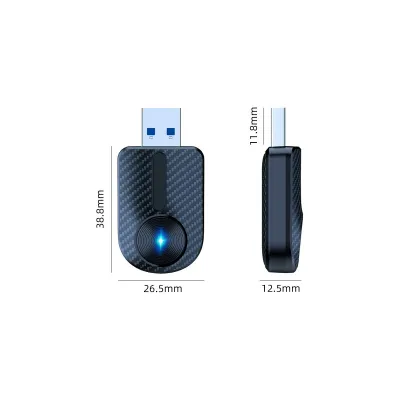
![❤️NEW❤️[V5.0] CarPlay Adapter Link Dongle CarPlay Dongle Carlinkit Wireless Carplay Stick Smart Link Supports❤️SG Seller❤️](https://img.lazcdn.com/g/p/87220ee0d8785a43a6c3b29f8e977506.jpg_400x400q80.jpg_.webp)
Prices are valid at publication and may change. Please refer to the product page for the latest price.
In contrast, phone navigation apps like Google Maps, Waze, or Apple Maps operate entirely in the cloud, receiving real-time updates continuously. These platforms rely on crowdsourced data from active users to monitor traffic speeds, identify road hazards, and flag sudden lane closures. For a daily driver in Singapore, this real-time capability is highly beneficial for navigating dynamic Electronic Road Pricing (ERP) zones and avoiding sudden bottlenecks on major expressways like the Central Expressway (CTE) or East Coast Parkway (ECP). Phone navigation can dynamically recalculate your route to save minutes, whereas a built-in system without an active data subscription might guide you directly into a heavy traffic jam.
Evaluating how frequently your local routes change is key to choosing between these systems. If your driving is mostly confined to established routes and well-mapped expressways, the slower update cycle of a built-in system may not pose a significant issue. However, if you frequently visit new commercial developments, medical centers, or residential zones, the rapid adaptation of cloud-based phone navigation ensures you are rarely left searching for non-existent exits or outdated points of interest.
Usability, Interface, and Driver Distraction
How you interact with your navigation system while driving plays a critical role in road safety and convenience. Built-in navigation systems are designed by the vehicle manufacturer to integrate perfectly with the cabin’s physical controls. This often includes dedicated physical buttons on the center console, rotary control knobs, steering wheel buttons, and voice command systems tailored to the car’s cabin acoustics. This physical integration allows drivers to make quick adjustments or zoom in on maps without taking their eyes off the road or relying solely on a touchscreen interface, which can be challenging to operate on bumpy roads.

Using a wireless CarPlay adapter brings the familiar, highly optimized interface of your smartphone directly to the car’s dashboard screen. This interface is designed specifically for driving, featuring large touch targets, simplified menus, and robust voice control integration via virtual assistants. To minimize driver distraction when using CarPlay, it is highly recommended to configure your smartphone’s “Driving Focus” or “Do Not Disturb” settings. This prevents personal messages, social media alerts, and non-essential notifications from popping up on the dashboard screen while you are navigating complex junctions or heavy traffic.
Display quality and visibility also differ between the two setups. Factory-installed navigation screens are typically engineered with anti-glare coatings and positioned at optimal viewing angles to combat intense sunlight. When projecting phone navigation via CarPlay, the visual quality depends heavily on the resolution and brightness of your vehicle’s head unit. In bright daylight, some aftermarket screens or older factory displays may suffer from glare, making detailed map routes harder to read. Additionally, the layout of phone navigation apps is standardized, which may not always utilize the full aspect ratio of unique or ultra-wide dashboard displays as effectively as the factory-designed GPS interface.
Connection Stability and Signal Reliability
A seamless navigation experience requires a stable connection and reliable GPS tracking, especially in challenging environments. Wireless CarPlay adapters function by establishing a Bluetooth connection for the initial handshake and then switching to a local Wi-Fi network to transmit the video and audio data from your phone to the head unit. While this eliminates the clutter of cables, wireless connections can occasionally experience latency, audio synchronization lag, or brief disconnections due to local wireless interference. To troubleshoot these issues, drivers should regularly check for firmware updates for their adapter by accessing the manufacturer’s IP address portal via a mobile browser, clearing old paired devices from the phone’s Bluetooth list, or restarting the vehicle’s infotainment system.
GPS signal reception is another critical factor, particularly when driving through Singapore’s dense urban landscape. The city’s high-rise residential estates, commercial skyscrapers in the downtown core, and extensive underground tunnel networks—such as the Marina Coastal Expressway (MCE) or the Kallang-Paya Lebar Expressway (KPE)—can severely obstruct satellite signals. Built-in car GPS systems often have an advantage here because they are connected to a dedicated external antenna mounted on the vehicle’s roof. Furthermore, many factory systems utilize “dead reckoning” technology, which taps into the vehicle’s wheel speed sensors and gyroscopes to estimate your position even when satellite signals are completely blocked inside long tunnels.
Smartphones, conversely, rely on internal GPS receivers that can struggle when placed deep inside the cabin, in a glove compartment, or low down on the center console. To ensure stable tracking when using phone navigation via CarPlay, place your phone in a position with a relatively clear view of the windshield. Additionally, the tropical climate in Singapore means that a phone running continuous GPS navigation, wireless data transmission, and screen projection simultaneously can generate significant heat. If placed in direct sunlight on a dashboard mount, the phone may overheat, leading to thermal throttling, laggy map rendering, or temporary shutdowns.
Cost, Maintenance, and Setup Effort
The financial and practical effort required to maintain each system over the lifespan of your vehicle is an important consideration. Built-in navigation systems carry no additional hardware costs at the point of purchase, as they are integrated into the vehicle’s purchase price. However, keeping these maps updated can become a recurring expense. Many car manufacturers charge fees for map updates after the initial warranty or complimentary period expires. These updates often require a visit to the authorized service center or the purchase of a proprietary USB drive or SD card, which can cost a significant amount in local currency over several years.
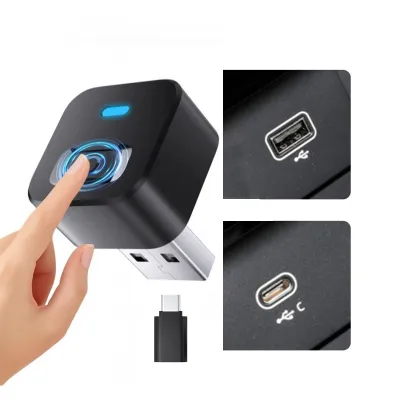
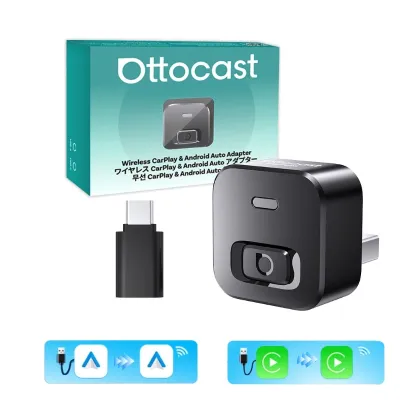
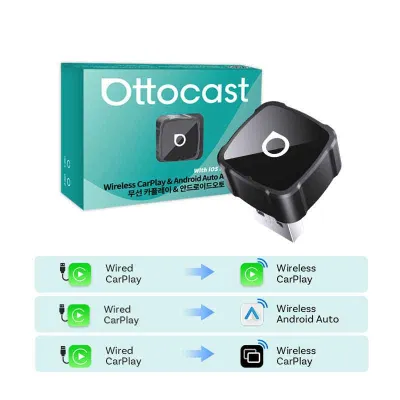
Investing in a wireless CarPlay adapter represents a one-time hardware cost. This adapter converts an existing wired CarPlay system into a wireless one, removing the need to plug in your phone every time you start the engine. The setup process is generally straightforward: you plug the adapter into the vehicle’s primary data-enabled USB port, pair your phone via Bluetooth, and allow the system to configure the wireless connection. Cable management is minimal, as the compact adapter can often be tucked away in a storage cubby or secured with double-sided tape to keep the dashboard clean and clutter-free.
Before purchasing any third-party electronic accessory, it is essential to review your vehicle’s warranty terms and manufacturer guidelines. Standard plug-and-play USB adapters that do not require physical modification of the vehicle’s wiring harness generally do not affect warranty coverage. However, ensuring that the adapter is compatible with your specific head unit’s firmware is crucial to avoid system crashes or compatibility issues that might require a factory reset of the infotainment system.
Decision Framework: Choosing Your Daily Navigation Setup
To finalize your choice, evaluate your daily driving patterns, vehicle capabilities, and personal preferences against the strengths of each system.
Choose phone navigation via an OttoCast CarPlay adapter if you:
- Prioritize real-time traffic updates, dynamic rerouting to avoid ERP charges, and crowdsourced hazard alerts.
- Prefer using familiar navigation apps with continuous, automatic map updates at no extra cost.
- Value a clutter-free cabin and want the convenience of wireless connectivity without plugging in a cable for every short trip.
- Have a vehicle head unit that already supports wired CarPlay and want to upgrade its usability.
Choose your vehicle’s built-in car GPS if you:
- Frequently drive through long tunnels, underground expressways, or dense high-rise areas where mobile GPS signals are prone to dropping.
- Prefer a highly stable, zero-setup navigation system that does not rely on your smartphone's battery, processing power, or thermal limits.
- Appreciate deep integration with physical vehicle controls, steering wheel buttons, and heads-up displays.
- Do not mind periodic map updates or primarily drive on well-established, unchanging routes.
Before making a decision, verify your vehicle’s head unit specifications. Ensure that your car supports wired CarPlay natively, as wireless adapters require an active wired CarPlay protocol to function. Checking online compatibility lists provided by the manufacturer or testing the adapter with your specific phone model can prevent compatibility issues and ensure a clean, reliable daily drive.
Frequently Asked Questions (FAQ)
Does wireless CarPlay via an adapter drain my phone battery significantly?
Yes, wireless CarPlay consumes more battery power than a standard Bluetooth connection because it requires continuous Wi-Fi data transmission, GPS tracking, and background processing. To manage power consumption during longer drives, check your vehicle’s USB port output ratings; a port rated at 1.5 amperes or higher can help maintain or increase your battery charge. Alternatively, consider using a dedicated wireless charging pad or a high-output fast-charging car charger plugged into the 12V accessory socket to keep your phone powered without cluttering the dashboard with data cables.
Can I run built-in GPS and phone navigation on the screen at the same time?
Most standard vehicle infotainment systems do not support displaying both the built-in GPS map and a CarPlay navigation map on the screen simultaneously. When CarPlay is active, the head unit typically prioritizes the smartphone’s interface, and starting a route on a phone app will usually pause or override any active route guidance on the factory system. Additionally, running both systems at once can cause audio priority conflicts, where voice prompts from the built-in GPS and the phone app interrupt each other, leading to confusing navigation instructions.
Community discussion
Share your experience or ask a question. Comments are reviewed before publication.