
Choosing the right tablet car holder for your rear-seat passengers depends on who is sitting in the back, how often they use the device, and the specific design of your vehicle’s front seats. With many families balancing daily school runs along local expressways with long weekend drives across the Causeway, finding a secure and practical mounting solution is essential for keeping rear passengers entertained and safe.
To select the ideal mount, you must first evaluate your passenger profile. Toddlers and young children in forward-facing child seats require a durable, highly stable mount positioned close enough for easy viewing but far enough to prevent kicking. They also benefit from secure angle adjustments to reduce glare from the tropical sun. Conversely, older teenagers and adults require wider viewing angles, sturdy support for larger screens, and the ability to share a single screen across the row.
Usage frequency is another critical factor. For daily commutes and short city trips, a quick-release mechanism with a robust, rattle-free build is indispensable to handle frequent mounting and unmounting. For occasional road trips, a multi-functional design that is easy to fold away or store in the glove compartment or seat back pocket when not in use is often more practical.
Products mentioned in this guide
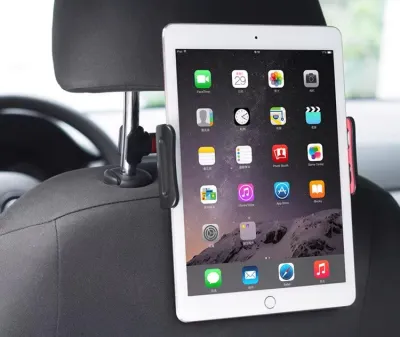
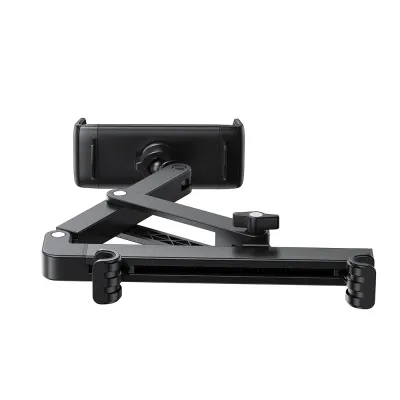
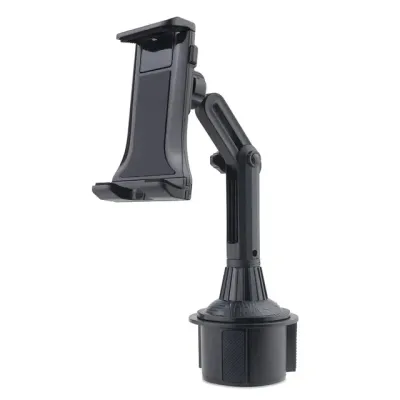
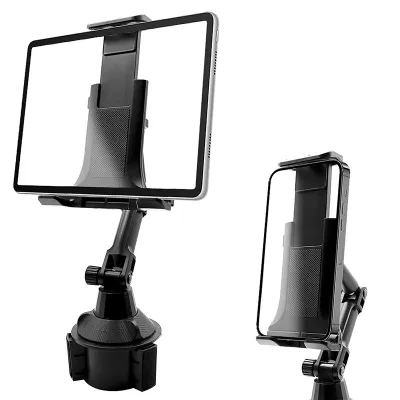
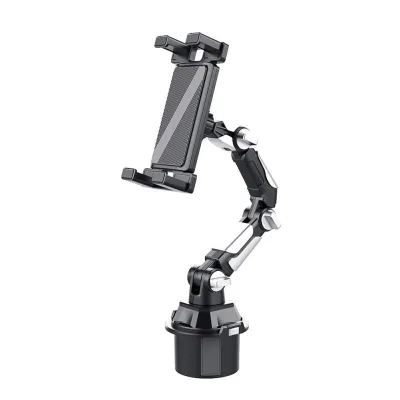
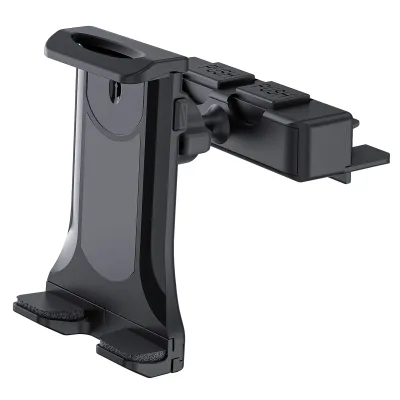
Prices are valid at publication and may change. Please refer to the product page for the latest price.
Finally, vehicle compatibility dictates what actually works in your cabin. Before buying any mount, inspect your front seats. Many continental or sporty cars feature integrated headrests with no exposed metal poles, which completely rules out standard pole clamps. You must also check the pole diameter of adjustable headrests and consider whether your seat backs are upholstered in delicate leather or durable fabric, as different mounting mechanisms exert varying levels of physical pressure on these materials.
Headrest Pole Mounts: Best for Kids and Daily Commutes
Headrest pole mounts are the most common and widely available type of tablet car holder on the market. These devices feature a mechanical clamp that attaches directly to the exposed metal support rods of the front seat headrests. Most models incorporate an extendable, telescoping arm and a 360-degree rotating ball joint, allowing passengers to position the tablet at the perfect viewing angle.
The primary advantage of a pole mount is its exceptional mechanical stability. Because it anchors directly to the steel frame of the front seat, it minimizes screen shake and vibration, even when driving over speed bumps or uneven road surfaces. This stability makes it highly suitable for children in forward-facing car seats, as it keeps the screen securely positioned at eye level, reducing neck strain and helping to prevent motion sickness during stop-and-go city traffic. Additionally, the rotating ball joint allows for seamless switching between portrait mode for reading and landscape mode for watching videos.
However, these mounts have notable limitations. They require exposed, adjustable headrest poles to function, meaning they are incompatible with integrated one-piece sports seats or luxury active headrest systems. Furthermore, if the extendable arm is stretched too far toward the center of the cabin, the tablet and mounting arm can partially obstruct the driver’s rear-view mirror visibility, creating a potential safety hazard.
When shopping for a headrest pole mount, use this practical buying checklist to ensure compatibility and safety:
- Verify the pole distance and diameter: Measure the distance between your headrest poles and check the manufacturer's specifications to ensure a secure fit.
- Look for protective padding: Choose mounts equipped with thick silicone or rubber padding inside the clamps to prevent scratching or denting the metal poles.
- Assess the locking mechanism: Ensure the ball joint and extendable arm feature robust locking collars or screw-tightened clamps rather than simple friction fits, which can droop under the weight of heavier tablets during sudden braking.
Headrest Clamp and Crossbar Mounts: Best for Adults and Shared Viewing
For larger tablets or situations where multiple rear passengers need to share a single screen, headrest clamp and crossbar mounts offer a more robust and versatile alternative. These systems typically fall into two categories: heavy-duty clamps that grip the outer plastic edges of the headrest structure, or tension-based telescopic crossbars that extend horizontally and wedge securely between the two front seats.

The standout benefit of a crossbar mount is its ability to center the tablet perfectly between the driver and front passenger seats. This central positioning is ideal for two rear passengers to watch a movie together without straining their necks or fighting over who holds the device. These mounts are also engineered to support heavier, larger devices, such as 12.9-inch tablets, without sagging. Because some designs clamp around the entire headrest body rather than the poles, they can sometimes be adapted to work with vehicles that have integrated headrests.
Despite their utility, crossbar and outer clamp mounts have a significantly bulkier footprint in the cabin. The horizontal bar can clutter the space between the front seats, occasionally interfering with the slide tracks or recline adjustments of the front seats. Additionally, tension-based crossbars exert continuous outward pressure; if this tension is set too high, or if the contact pads are poorly designed, they can leave permanent indentations or cause tearing in delicate leather upholstery over time.
Before purchasing a crossbar or outer clamp mount, verify these key specifications:
- Measure the headrest and seat gap: Ensure the crossbar's extension range matches the physical distance between your front seats or the outer width of your headrest.
- Check the weight capacity: Confirm that the mount is rated to support the exact weight of your specific tablet model, especially if you use a heavy protective case.
- Inspect the contact points: Look for wide, flat mounting plates covered in soft, non-marring rubber or high-density foam to distribute pressure evenly and protect your vehicle's interior.
Seat Back Organizers with Integrated Tablet Holders
Seat back organizers with integrated tablet holders represent a highly practical, multi-functional approach to rear-seat entertainment and cabin organization. Typically constructed from durable fabrics such as nylon, oxford cloth, or synthetic PU leather, these organizers strap securely over the entire back of the front seat. They feature a clear, touch-sensitive plastic sleeve at the top designed to hold a tablet, alongside various lower pockets for storage.
The double benefit of this design makes it a favorite for parents of young children. Not only does it provide a dedicated viewing window for a tablet, but the large fabric backing also acts as a kick mat, protecting the delicate leather or fabric of your front seats from dirty shoe scuffs. The integrated lower pockets offer convenient storage for charging cables, water bottles, toys, and snacks, helping to keep the rear cabin tidy. Installation is completely tool-free and universal, relying on simple adjustable straps that buckle around the headrest and the base of the seat back.
However, these organizers involve clear trade-offs in terms of viewing quality and interaction. Because the organizer hangs loosely against the seat back, the tablet is prone to bouncing and swaying on rough roads or during sudden turns, which can cause eye strain. The clear plastic window, while protective, reduces touch-screen responsiveness and can create significant glare under bright tropical sunlight. Furthermore, the viewing angle is completely fixed flat against the seat back, preventing any tilt adjustments to accommodate passengers of different heights.
To find a high-quality seat back organizer, keep this buying checklist in mind:
- Measure the sleeve dimensions: Ensure the clear plastic pocket is large enough to accommodate your tablet, taking into account the extra thickness of any protective bumper case you use.
- Evaluate strap and buckle quality: Look for reinforced stitching and wide, heavy-duty straps with secure buckles to prevent the organizer from sagging or sliding sideways when fully loaded.
- Select easy-clean materials: Choose water-resistant, wipe-clean materials like high-density polyester or treated nylon, which allow you to easily clean off mud and dirt with a damp cloth.
Quick Comparison: Rear Seat Tablet Holder Types
To help you quickly identify the most suitable mounting solution for your vehicle and passenger setup, the table below summarizes the key differences between the three main categories of tablet car holders.
| Mount Type | Best For (Passenger/Use Case) | Stability Level | Installation Effort | Vehicle Compatibility |
|---|---|---|---|---|
| Headrest Pole Mount | Single passenger, kids, daily commutes, active viewing | High (Minimal vibration) | Low (Tool-free clamp) | Limited to seats with exposed metal headrest poles |
| Headrest Clamp/Crossbar | Multiple passengers, adults, larger tablets, shared viewing | Very High (Rigid support) | Medium (Tension adjustment) | Requires dual seats or specific outer headrest dimensions |
| Seat Back Organizer | Toddlers, occasional road trips, storage and seat protection | Low to Medium (Subject to swaying) | Very Low (Simple strap-on) | Universal (Fits almost all standard car seats) |
Please note that actual compatibility, stability, and performance depend heavily on your specific vehicle’s seat design, the weight of your tablet, and the quality of the road surface. Always check the physical dimensions of your car’s interior before purchasing.
Installation and Safety Checks for Rear Seat Mounts
Installing an aftermarket accessory in your vehicle requires careful attention to safety boundaries to protect your passengers and preserve your car’s interior. Before purchasing or installing any tablet car holder, consult both your vehicle’s owner manual and the mount manufacturer’s instructions. Ensure that the chosen mounting position does not interfere with the deployment zones of side curtain airbags, active headrest safety systems, seat belt mechanisms, or rear ISOFIX child seat anchors.
To ensure a secure fitting, always test the mount’s grip by applying firm manual pressure before sliding your tablet into the holder. Road vibrations, temperature changes, and daily cabin use can naturally loosen mechanical hardware over time. Make it a habit to inspect and re-tighten all clamps, tension bars, and mounting screws after the first few drives, and repeat this check periodically as part of your routine vehicle maintenance.
Proper cable management is another vital safety consideration. If you need to charge the tablet on the go, route the charging cables carefully along the seat frame or organizer straps. Use cable ties or velcro wraps to keep wires taut and flush against the seat back, ensuring they are completely out of reach of young children’s necks and do not drape across footwells or get caught in moving seat adjustment tracks.
In a hot, tropical climate like Singapore, cabin temperatures can rise dramatically when the vehicle is parked in direct sunlight. Ensure that the materials used in your tablet holder—especially plastic clamps and suction elements—are rated for high-heat environments to prevent warping, cracking, or adhesive failure. Never leave tablets or power banks mounted in the car under direct sunlight, as extreme heat can degrade lithium-ion batteries and pose a serious safety risk. Finally, always verify from the driver’s seat that the fully assembled mount and tablet do not obstruct your rear-view mirror visibility or blind spots.
Frequently Asked Questions (FAQ)
Can I use a suction cup tablet mount on the rear seat window?
Using a suction cup tablet mount on a rear side window is generally not recommended for several safety and practical reasons. The intense heat and humidity can cause suction cups to lose adhesion unexpectedly, leading to expensive tablet damage. More importantly, a heavy tablet and mount attached to a side window can severely obstruct the driver’s blind-spot visibility and, in the event of a sudden stop or collision, can easily detach and become a dangerous projectile inside the cabin. Securely anchored headrest or seat back mounts are far safer alternatives.
Will a tablet car holder damage my leather car seats?
A poorly designed or over-tightened tablet car holder can scratch, scuff, or leave permanent indentations in delicate leather upholstery. Hard plastic or metal clamps without adequate padding are the primary culprits of this type of damage. To protect your vehicle’s interior, always choose mounts that feature thick, high-quality silicone or rubber grips on all contact points. If you have highly sensitive luxury leather seats, a fabric seat back organizer or a soft-backed tension mount is often a much safer, non-marring alternative.
Do I need a special tablet car holder if my child is in a rear-facing car seat?
Yes, standard headrest mounts are typically designed for forward-facing passengers and will be positioned too high, too close, or entirely out of the line of sight for an infant or toddler in a rear-facing car seat. For rear-facing setups, you should look for specialized mounts with highly extendable, articulating arms that can lower the tablet to the child’s eye level, or mounts designed to attach to the rear seat’s headrest facing forward. Crucially, never attach any aftermarket mounting hardware directly to the child’s car seat itself, as this can compromise the seat’s structural integrity and safety performance during an impact.

Community discussion
Share your experience or ask a question. Comments are reviewed before publication.