
Selecting the ideal hands-free phone holder for a car seat back depends primarily on your vehicle’s headrest architecture and your passengers’ stability requirements. For cars with adjustable headrests featuring exposed metal support poles, a rigid headrest pole clamp mount offers the most secure, wobble-free viewing experience. If your vehicle features integrated sports seats or active head restraints, a flexible strap or wrap-around mount provides a highly adaptable alternative, while lightweight clip-on mounts serve as excellent temporary solutions for rental cars or occasional road trips.
To make an informed decision, you must balance the physical design of your car seats with the weight of your mobile devices. A poorly matched holder can lead to constant screen vibration, damage your upholstery, or even present a safety hazard during sudden stops. By understanding the mechanical and structural differences between these mounting styles, you can ensure a comfortable, safe, and stable entertainment setup for your rear passengers.
Key Features to Evaluate for Rear Seat Viewing
Vibration Dampening and Joint Tension
Road surfaces are rarely perfectly flat, and any movement of the vehicle is magnified along the frame of the front seats. When driving over speed bumps, expansion joints on flyovers, or rough asphalt, a phone mounted on a seat back experiences significant kinetic energy. Without adequate vibration dampening, this energy causes the screen to shake violently, leading to eye strain and motion sickness for rear viewers.
Products mentioned in this guide
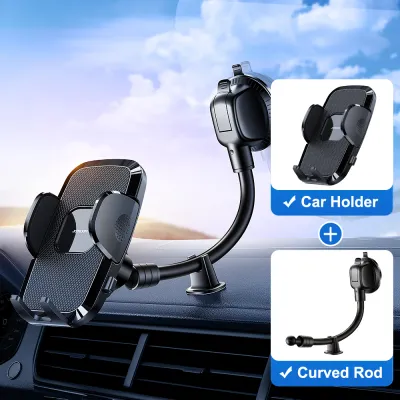
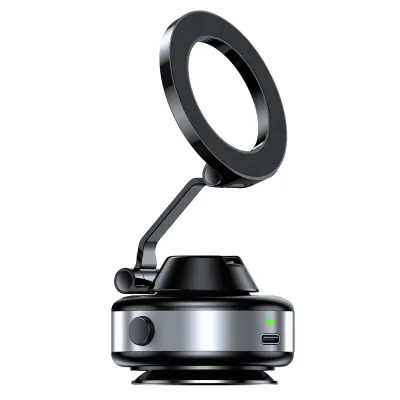
Prices are valid at publication and may change. Please refer to the product page for the latest price.
To counteract this movement, look for holders engineered with high-tension ball joints and reinforced structural arms. Premium mounts utilize heavy-duty plastic or aluminum alloy components that resist bending under stress. The joints must feature robust locking collars or tightening screws that allow you to lock the viewing angle firmly in place, preventing the phone from gradually drooping downward due to gravity and road vibrations.
Device Weight and Size Capacity
Modern smartphones are heavier than ever, particularly when enclosed in rugged protective cases, integrated wallet sleeves, or fitted with external magnetic rings. Before selecting a hands-free phone holder, you must verify the maximum load capacity specified by the manufacturer. A mount with weak spring tension or thin plastic brackets will struggle to support larger flagship devices, leading to slippage or structural failure.
Measure the physical width of your phone with its case on and compare it to the clamp’s expansion range. The holding bracket should feature deep, rubberized side grips that securely cradle the edges of the device without pressing against the volume or power buttons. Choosing a mount with a mechanical screw-tightening clamp rather than a simple spring-loaded mechanism provides a much higher level of security for heavy devices.
Viewing Angle Adjustability
Rear passengers come in all heights, from small children in booster seats to tall adults, meaning a fixed viewing angle is rarely sufficient. A high-quality seat back mount must offer comprehensive adjustability, including 360-degree rotation for switching between portrait and landscape modes. Tilt and swivel capabilities are equally critical for positioning the screen directly in the passenger’s line of sight.
Proper adjustability also plays a major role in managing cabin glare. Throughout the day, changing sunlight angles through the side and rear windows can wash out a mobile screen, making it difficult to see. A mount that allows quick, tool-free tilt adjustments enables passengers to easily deflect reflections, preserving visibility without requiring them to shift their seating positions.
Headrest Design Compatibility
Your vehicle’s specific seat design is the ultimate deciding factor when choosing a hands-free phone holder. Standard seats feature adjustable headrests supported by two parallel metal poles, which serve as the perfect anchoring point for clamp-style mounts. However, many modern vehicles, particularly sports models or electric vehicles, are designed with integrated, single-piece seats that lack these exposed metal shafts.
Additionally, some premium vehicles are equipped with active head restraints designed to move forward in a rear-end collision to prevent whiplash. Installing a rigid clamp on these systems can interfere with their safety mechanisms or cause injury during deployment. Always check your vehicle owner’s manual to identify your headrest type and ensure any aftermarket accessory you install is compatible with the seat’s safety features.
Recommended Hands-Free Phone Holder Designs for Seat Backs
Headrest Pole Clamp Mounts
Mechanism and Stability

Headrest pole clamp mounts are the gold standard for rear-seat stability because they anchor directly to the steel support shafts of the front seat. These designs typically feature a horizontal bar with dual clamps that grip both metal poles, creating a rigid bridge across the headrest base. By securing the mount to these solid metal anchors, vibration transfer from the vehicle’s chassis is minimized, resulting in an exceptionally steady screen.
Many advanced pole clamp mounts feature a mechanical telescoping or articulating arm. This allows the rear passenger to pull the phone closer for interactive use or push it back against the seat when watching a movie. Some designs even allow the arm to slide laterally along the support bar, positioning the phone in the center of the cabin so multiple passengers can share a single screen.
Installation and Adjustability
Installing a pole clamp mount is generally a straightforward, tool-free process. Most models utilize spring-loaded tension bars that snap into place between the poles, or quick-release thumb clamps that tighten securely around each shaft. This simple mechanism makes it easy to adjust the height of the mount along the poles to accommodate different passenger eye levels.
When the mount is not in use, adjustability remains a key benefit. Many high-quality designs allow the holding bracket and arm to fold completely flat against the rear of the front seat. This space-saving feature ensures that rear passengers have maximum legroom and prevents them from accidentally bumping into the mount when entering or exiting the vehicle.
Limitations and Verification
Despite their superior stability, pole clamp mounts have clear physical limitations, as they are completely incompatible with integrated or fixed headrests. Before purchasing one of these models, you must measure the diameter of your headrest poles and the precise distance between them. Most manufacturers specify a compatible pole spacing range, and trying to force a mount onto incompatible poles can bend the bracket or damage the headrest mechanism.
Seat Back Strap and Wrap Mounts
Universal Compatibility
Strap and wrap-around mounts offer a highly versatile alternative that bypasses the need for exposed metal headrest poles. These designs utilize wide, adjustable bands made of heavy-duty fabric, silicone, or elastic materials that loop around the entire headrest structure or the upper section of the seat back. This universal mounting method makes them highly suitable for sports seats, fixed headrests, and non-standard seat designs.
Because they do not rely on specific pole dimensions, strap mounts can be easily transferred between different vehicles. This makes them a popular choice for families who own multiple cars with different seat configurations, or for travelers who want a reliable entertainment setup that works in any rental car they might encounter.
Stability Trade-offs
While strap mounts excel in compatibility, they do experience trade-offs when it comes to overall screen stability. Because fabric and elastic straps possess inherent flexibility, they cannot provide the same rigid, unyielding foundation as a metal pole clamp. On bumpy roads or during sudden cornering, the phone may experience a noticeable bounce or sway as the strap material stretches and flexes.
To minimize this movement, it is essential to choose strap mounts that feature wide, non-slip backing panels and heavy-duty buckle systems. Tensioning the strap as tightly as possible against the seat structure helps reduce slack, but passengers should still expect a slightly higher level of screen movement compared to rigid mechanical clamps.
Material and Climate Checks
In Singapore’s hot and humid tropical climate, material durability is a critical consideration for strap-based mounts. Constant exposure to high humidity and intense cabin heat when parked outdoors can cause low-quality elastic bands to degrade rapidly, losing their elasticity and becoming loose. Over time, the material can stretch out permanently, rendering the mount unusable.
Furthermore, some strap mounts feature adhesive patches or cheap synthetic rubber backings designed to prevent sliding. Under high temperatures, these adhesives can melt or transfer chemicals onto your car’s upholstery. This can leave sticky, unsightly residues on fabric seats or cause permanent staining and cracking on premium leather surfaces, so always verify that the strap materials are rated for high-temperature resistance.
Clip-On and Hook-Style Mounts
Quick Setup and Portability
Clip-on and hook-style phone holders are designed with simplicity and rapid deployment in mind. These compact accessories typically feature a curved hook that hangs from the base of the headrest poles, or a tension clip that slides onto the top seam of the front seat back pocket. Their lightweight, minimalist design makes them incredibly easy to pack into a bag or glove compartment.
These mounts are ideal for temporary use, such as during short taxi rides, ride-sharing commutes, or weekend road trips in a friend’s car. Because they require zero assembly and can be installed or removed in a matter of seconds, they provide a highly convenient hands-free solution for passengers who are constantly on the move.
Weight Limits and Device Security
Because clip-on and hook-style mounts rely primarily on gravity or basic friction to stay in place, they have much lower weight capacities than clamp or strap designs. They are generally designed to support standard-sized smartphones and will struggle under the weight of larger phablets or devices with heavy, rugged cases.
If you attempt to mount an oversized device on a simple hook holder, the assembly can easily become unbalanced. Sudden acceleration, sharp turns, or driving over speed bumps can cause the hook to slide along the seat back or detach entirely, sending your expensive device falling onto the cabin floor. For this reason, these mounts should only be used with lightweight phones and under gentle driving conditions.
Upholstery Protection
To prevent causing permanent damage to your vehicle’s interior, you must carefully examine the build quality of any clip-on mount. Avoid models made of cheap, hard plastics with sharp edges, as these can easily scratch leather surfaces or snag fabric fibers. Instead, look for clips and hooks that are fully lined with thick, soft silicone or rubber padding.
When clipping a holder onto a seat back pocket, be mindful of the tension exerted on the pocket’s seam. Constant pulling from a heavy phone can stretch out the pocket’s elastic band, causing it to sag permanently, or tear the delicate stitching along the edges. Ensure the clip distributes weight evenly and does not pinch the leather or fabric too tightly.
Impact on Seat Adjustment and Passenger Safety
Seat Recline and Track Movement
An often-overlooked aspect of installing a seat back phone holder is how it affects the comfort and adjustment of the front-row seats. If a mount features a long, rigid extension arm that protrudes far into the rear cabin, reclining the front seat can press the phone directly into the knees or face of the rear passenger. This can force the front occupant to keep their seat abnormally upright, compromising their comfort on long drives.
Furthermore, if you run a charging cable from the front center console to the rear phone holder, you must route it carefully. Loose cables hanging down the side of the seat can easily become trapped or pinched in the seat’s manual adjustment levers or motorized sliding tracks. This can damage the cable, blow a vehicle fuse, or jam the seat adjustment mechanism entirely.
Projectile Risk and Braking
Passenger safety must always take precedence when installing aftermarket accessories inside a vehicle cabin. During emergency braking, sudden evasive maneuvers, or a collision, any unsecured object inside the car is subjected to extreme G-forces. A phone or a heavy mount that detaches from the seat back can instantly become a dangerous high-velocity projectile, risking severe head or facial injuries to rear passengers.
To mitigate this risk, avoid relying on cheap, low-friction mounts that do not feature physical locking mechanisms. Ensure the holder’s clamp completely surrounds the phone and locks tightly, and regularly check that the mount’s attachment to the seat remains secure. Investing in a high-quality, mechanically locked mount is a small price to pay for protecting your passengers from injury.
Airbag and Sightline Clearance
When positioning a seat back phone holder, you must ensure it does not obstruct the driver’s rearward visibility. A large phone mounted too high on the headrest can block a significant portion of the driver’s view through the center rearview mirror, creating dangerous blind spots. Keep the mounting height low enough to maintain a clear line of sight through the rear windscreen.
Crucially, you must also verify that the mount and device do not interfere with the deployment paths of your vehicle’s safety systems. Many modern cars feature side-impact airbags integrated into the outer edges of the front seat backs, as well as roof-mounted curtain airbags. Consult your vehicle owner’s manual to locate these airbag deployment seams and ensure your phone holder is positioned well clear of these zones.
Professional Verification
If your vehicle features specialized seating systems, such as active head restraints, built-in seatbelt pre-tensioners, or integrated rear-seat entertainment screens, standard aftermarket mounts may not be safe to use. These advanced systems rely on precise physical clearances and sensor calibrations to protect occupants during an accident.
Before purchasing or installing any seat back accessory on specialized seats, refer to the vehicle manufacturer’s official guidelines. If you are uncertain about compatibility or safety, consult a qualified automotive accessory professional or your dealership’s service center. They can help you identify approved mounting solutions that do not compromise your vehicle’s safety systems.
Quick Comparison of Seat Back Mount Designs
To help you identify the most suitable hands-free phone holder design for your specific vehicle and passenger needs, refer to the comparison table below. This matrix summarizes the key performance characteristics, compatibility, and installation effort for each of the three primary design categories.
| Design Category | Vibration Stability | Headrest Compatibility | Seat Recline Interference | Installation Effort |
|---|---|---|---|---|
| Headrest Pole Clamps | High | Exposed poles only | Low (if folded flat) | Moderate |
| Strap and Wrap Mounts | Medium | Universal (fits most seats) | Medium | Low |
| Clip-On / Hook Mounts | Low to Medium | Top-edge or pocket dependent | Low | Very Low |
Installation Checks for a Secure Fit
Tension and Lock Verification
Before setting off on any journey, perform a quick physical check to ensure your hands-free phone holder is securely locked in place. Mount your phone into the bracket and apply gentle downward pressure to simulate the forces of a bumpy road. If the holder droops, slips, or rotates under this light pressure, tighten the locking collars, thumb screws, or ball joint nuts until the assembly is completely rigid.
For spring-loaded clamps, inspect the rubber pads inside the grip arms to ensure they are clean and free of dust or oil, which can reduce friction and cause your phone to slide out. If you are using a strap-style mount, check that the buckle is fully engaged and that the strap has not worked itself loose over time due to temperature fluctuations inside the cabin.
Cable Management
If your rear passengers plan to charge their phones while watching videos, proper cable routing is essential for safety and convenience. Never allow charging cables to drape loosely across the footwells or hang directly down the center of the cabin, as they can easily snag on passengers’ limbs when they enter or exit the vehicle.
Instead, route the USB cable along the side of the seat frame, securing it with adhesive cable clips or reusable hook-and-loop wraps. Ensure there is sufficient slack at the pivot points so the cable does not pull tight or snap when the front seat is slid forward or backward. Additionally, make sure the cable does not hang near the driver’s feet or interfere with any floor-mounted controls.
Clearance Testing
Once the mount is installed and the phone is secured, perform a complete clearance test before starting your engine. Sit in the front seat and adjust it through its entire range of motion. Slide the seat fully forward and backward, and recline the seat back to its maximum angle while a passenger observes the rear cabin.
Verify that the phone holder does not pinch against the rear passenger’s knees, compress the seat back upholstery, or strike any rear-facing components. If the mount interferes with the front seat’s movement or compromises rear legroom, adjust its mounting height or fold the articulating arm to find a safer, more comfortable position.
Frequently Asked Questions (FAQ)
Can I use a seat back phone holder with a tablet?
Most standard hands-free phone holders are not designed to support the increased weight and physical dimensions of a tablet. Standard phone mounts typically lack the joint tension required to hold a heavy tablet upright, which will cause the screen to droop constantly or slip out of the bracket entirely. Furthermore, forcing a wide tablet into a phone-sized clamp can put excessive stress on the spring mechanism, leading to structural failure.
If you want to mount a tablet on the seat back, you must purchase a heavy-duty mount specifically rated for tablet dimensions and weight. These specialized mounts feature reinforced mounting brackets, dual-tension arms, and wider clamp jaws designed to hold larger screens securely. Always check the manufacturer’s specifications to ensure the clamp width can accommodate your tablet without pressing against the power or volume buttons.
Will a headrest mount damage my car's leather seats?
Hard plastic or metal mounting brackets can easily scratch, scuff, or leave permanent indentation marks on leather upholstery if they lack proper protective padding. To prevent this damage, always choose mounts that feature thick, integrated silicone or rubber buffers on all contact surfaces. These soft pads distribute the clamping force evenly and prevent the hard structural components of the mount from digging into the leather.
For strap-based mounts, avoid leaving tight elastic or synthetic bands wrapped around leather seats for prolonged periods, especially in hot and humid conditions. The constant pressure combined with cabin heat can cause the leather to crease permanently or lead to plasticizer migration, where the synthetic strap material chemically bonds with the leather finish. To preserve your seats, remove strap mounts when they are not in use and clean the leather regularly with a manufacturer-approved conditioner.

Community discussion
Share your experience or ask a question. Comments are reviewed before publication.