
Long-distance drives, such as a weekend road trip up the North-South Highway, can quickly become taxing for rear-seat passengers. While handheld devices offer a quick source of entertainment, staring down at a screen for hours frequently leads to physical fatigue, neck strain, and motion sickness. A dedicated backseat handphone holder for car use elevates the screen to eye level, transforming the rear cabin into a comfortable viewing space while keeping your hands free.
Beyond passenger comfort, unsecured mobile devices pose a significant safety risk during sudden braking or unexpected maneuvers. In a sudden stop, a loose smartphone or heavy tablet can easily slip from a passenger’s grasp and become a high-speed projectile within the cabin. Installing a securely anchored seatback mount ensures that devices remain firmly in place, protecting passengers and reducing driver distraction during long journeys.
Using a dedicated mount also helps maintain a tidy, organized interior. Instead of dealing with devices propped up precariously against seat pockets or balanced on knees, a proper mount keeps screens positioned consistently. This setup allows passengers of all ages to enjoy movies, games, or navigation maps comfortably while preserving legroom and storage space.
Products mentioned in this guide
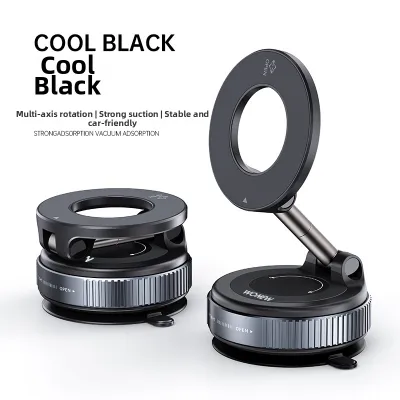

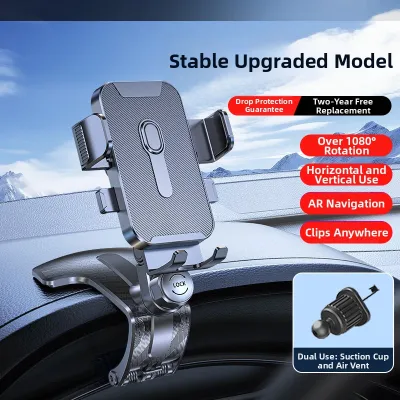
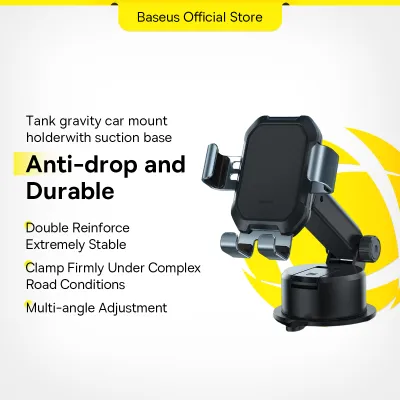
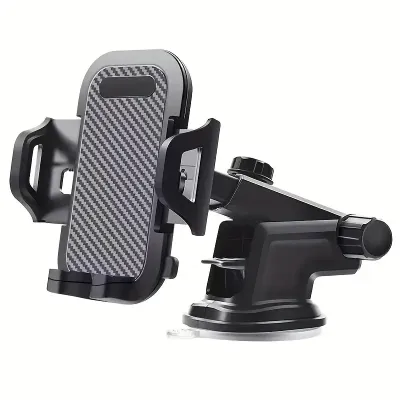
Prices are valid at publication and may change. Please refer to the product page for the latest price.
Key Features to Look for in a Backseat Phone or Tablet Mount
Selecting the right mounting solution requires evaluating several physical and mechanical characteristics to ensure the device remains stable and accessible throughout the drive.
Mounting Mechanism and Vehicle Compatibility
The primary interface between the holder and your car is the mounting mechanism. Most backseat holders rely on clamps that attach to the metal posts of the front headrests. However, some vehicles feature integrated sports seats or active headrest designs that lack exposed metal rods. Before purchasing, look closely at the design of your front seats. If your car has adjustable headrests with visible metal supports, a post clamp is highly effective. For vehicles with one-piece seats, alternative mounting styles like heavy-duty straps are necessary.
Device Compatibility and Adjustability
A versatile backseat mount must accommodate a wide variety of hardware, ranging from compact smartphones to large tablets. Look for holders featuring spring-loaded expandable grips or adjustable brackets that secure devices of varying dimensions. It is equally important to consider the depth of the cradle; some mounts struggle to hold devices wrapped in thick, rugged protective cases. To ensure a comfortable viewing angle for passengers of different heights, select a mount that offers a 360-degree rotating ball joint and tilt adjustments. This flexibility is particularly useful for angling the screen away from direct sunlight to reduce glare.
Vibration Dampening and Stability
Road surfaces are rarely perfectly smooth, and constant screen vibration can quickly cause eye strain and headaches. Flimsy, low-cost plastic mounts often sway or shake with every bump. Look for mounts constructed with reinforced aluminum alloy arms, dual-shaft supports, or robust mechanical locking collars rather than thin plastic components. Thick silicone or rubber padding inside the grip brackets serves a dual purpose: it cushions the device against road vibrations and prevents the plastic edges of the holder from scratching your phone or tablet.
Types of Seatback Holders for Long Family Trips
Understanding the distinct categories of backseat mounts helps you match the right design to your vehicle’s interior layout and your passengers’ needs.

Headrest Post Mounts
Headrest post mounts are the most common and stable option for cars with traditional adjustable headrests. These devices feature a rigid bar or clamp that locks securely onto the metal support rods of the front seat.
- Pros: Outstanding stability, minimal screen vibration, and a high weight capacity that easily supports heavy tablets.
- Cons: Completely incompatible with integrated, single-piece sports seats; requires a specific spacing distance between the headrest posts.
- Ideal Use Case: Families with standard sedans or SUVs who want a permanent, vibration-free entertainment station for children using mid-to-large tablets.
Seatback Straps and Clips
For vehicles that cannot accommodate post clamps, strap-based mounts offer a flexible alternative. These systems feature heavy-duty adjustable nylon or elastic straps that wrap entirely around the upper section of the front seatback or the headrest body.
- Pros: Highly universal design that works on almost any seat type, including integrated headrests; simple to install and remove without tools.
- Cons: Can sway slightly during sharp cornering or sudden acceleration; straps may alter the aesthetic of the front seatback.
- Ideal Use Case: Drivers of sports models or electric vehicles with integrated headrests, or those who frequently move the mount between different rental cars.
Adhesive or Suction Mounts
Some mounting options rely on industrial-strength adhesive pads or suction cups designed to stick directly to the hard plastic backing of the front seats.
- Pros: Extremely low profile; can be positioned precisely where you want on the seatback.
- Cons: Poor performance on textured plastics, fabric, or leather; high risk of adhesive failure under intense heat.
- Ideal Use Case: Temporary setups in vehicles with flat, smooth, non-porous plastic seatback panels, though generally not recommended for long-term use.
In Singapore’s tropical climate, cabin temperatures can soar when parked outdoors under direct sunlight. This intense heat can cause adhesives to melt, slide, or leave a sticky, difficult-to-clean residue on your car’s interior trim. Furthermore, suction cups can lose their seal as the air inside them expands with the heat, causing the entire mount to drop unexpectedly.
Safety and Installation Considerations for Singapore Drivers
Installing interior accessories requires careful attention to safety boundaries to ensure they do not interfere with the vehicle’s protective systems or the driver’s operational awareness.
Airbag and Seatbelt Clearance
Before finalizing the position of any seatback mount, verify that it does not obstruct the deployment paths of your vehicle’s safety systems. Many modern cars are equipped with side-curtain airbags that deploy from the roof lining or B-pillars, as well as side airbags integrated into the outer bolsters of the front seats. Ensure the mount, its extension arms, and the attached device sit completely clear of these deployment zones. Additionally, the mount must never interfere with the smooth operation or routing of the rear seatbelts.
Driver Visibility
When positioning a larger tablet in a backseat holder, check the view through your rearview mirror. If a device is mounted too high or angled steeply, it can partially block your rear line of sight. Maintain a clear view of the rear windscreen to ensure safe lane changes and reversing maneuvers. Adjust the mount so the screen sits directly behind the front headrest rather than protruding into the central space between the seats.
Vehicle Manual Verification
Always consult your vehicle owner’s manual before making adjustments to your headrests or mounting heavy accessories. Some vehicles feature active head restraint systems designed to move forward in a rear-end collision to prevent whiplash. Attaching rigid clamps to these headrests can interfere with this safety mechanism. Additionally, check the manual for any weight limits on the seatback structure, especially if your seats feature integrated heating, ventilation, or electrical adjustment wiring that could be damaged by excessive external pressure.
Cable Management
Long drives often require keeping devices plugged into USB ports to prevent battery drain. Unsecured charging cables hanging loose in the footwell present a tripping hazard for passengers entering or exiting the vehicle. Loose cables can also get caught in the front seat adjustment tracks, potentially tearing the wire or damaging the seat motor. Use small adhesive cable clips or hook-and-loop ties to route charging cords neatly along the side of the seat bolster, keeping them completely clear of the floor area.
How to Choose the Right Mount for Your Specific Vehicle
To narrow down your choices and find the perfect match, follow this practical four-step checklist before making a purchase.
Step 1: Inspect the Front Seats
Examine the design of your front headrests. If they are adjustable, measure the diameter of the metal posts and the distance between them using a ruler or measuring tape. Compare these dimensions against the manufacturer specifications of the headrest post mounts you are considering. If your vehicle features integrated sports seats, skip post mounts entirely and focus on high-quality strap systems.
Step 2: Measure Your Devices
Identify the specific smartphones or tablets you plan to use on your trips. Measure the diagonal screen size as well as the total width and thickness of the devices while they are in their protective cases. Ensure the grip range of the holder can securely accommodate the smallest phone and the largest tablet in your collection without requiring you to remove their protective covers.
Step 3: Evaluate the Seatback Materials
Take note of your seat upholstery. If your car has premium leather seats, avoid rigid plastic clips or tight straps that could leave permanent indentations or scuff marks on the leather surface. For hard plastic seatbacks, ensure any contact points on the mount are well-padded with soft silicone to prevent rattling and scratching.
Step 4: Match to Your Budget and Travel Frequency
Consider how often you will use the mount. For occasional holiday road trips, a budget-friendly, easily removable strap mount (typically priced under S$20) may be sufficient. If you drive long distances regularly with children, investing in a robust, semi-permanent aluminum alloy headrest mount (ranging from S$25 to S$50) provides superior durability, smoother viewing, and better long-term protection for your devices.
Frequently Asked Questions (FAQ)
Can I use a rear seat holder for a tablet and a phone interchangeably?
Yes, many modern backseat mounts feature expandable, spring-loaded cradles designed to hold a wide range of device sizes. These holders typically specify a minimum and maximum grip width (for example, accommodating devices from 4.7 inches up to 12.9 inches). Always verify these measurements before purchasing to ensure the grip can hold a compact smartphone securely without slipping, while still expanding wide enough to cradle a larger tablet.
Will a headrest mount fit cars with integrated or non-removable headrests?
Standard headrest post mounts will not fit cars with integrated or non-removable headrests, as they require exposed metal rods to clamp onto. If your vehicle has one-piece sports seats or integrated headrests, you should look for heavy-duty strap mounts that wrap securely around the entire top section of the seat, or specialized clips designed to hook onto the seat’s built-in plastic trim panels.
How do I prevent the holder from damaging leather seats in hot weather?
To protect delicate leather upholstery from heat-related damage and physical wear, avoid using adhesive or suction-based mounts entirely. For strap or clamp mounts, place a soft microfiber cloth between the hard plastic parts of the mount and the leather surface. This layer cushions the pressure, prevents the plastic from sticking to the leather in high cabin temperatures, and guards against permanent indentations or scuff marks.
Community discussion
Share your experience or ask a question. Comments are reviewed before publication.