
The right Baseus car charger depends entirely on your vehicle’s available power interfaces, your smartphone’s supported charging protocols, and your daily driving habits. If you need rapid power delivery for modern smartphones, a Type-C charger is the optimal choice. For older devices or multiple low-power accessories, a USB-A charger offers reliable legacy compatibility. If you prioritize convenience and a cable-free dashboard, a wireless charging mount is ideal, provided your phone supports Qi induction and your car’s setup allows for proper heat dissipation.
To make the right choice, you must first evaluate your vehicle’s physical ports and electrical capacity. Many drivers assume that the built-in USB ports in their car’s dashboard are sufficient, but these are often designed primarily for data transfer, such as Apple CarPlay or Android Auto. Consequently, they typically output only 2.5W to 5W of power, which is barely enough to maintain your phone’s battery level while running navigation apps.
Assessing Your Car's Power Source and Ports
Evaluating your vehicle’s electrical infrastructure is the first step in choosing a compatible car charger. Built-in USB ports on the dashboard or center console are convenient, but they are rarely designed for high-speed charging. These native ports usually deliver a standard 5V at 1A or 2.1A, which translates to a slow 5W to 10W charge that cannot keep up with modern power-hungry devices.
Products mentioned in this guide
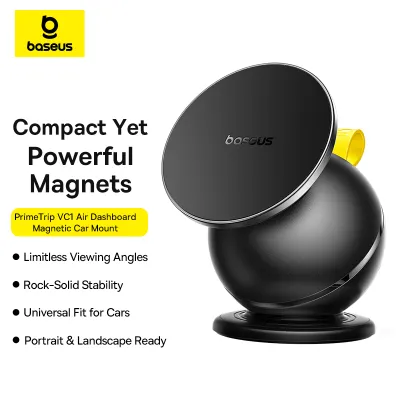
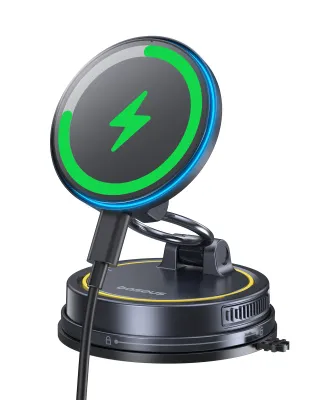
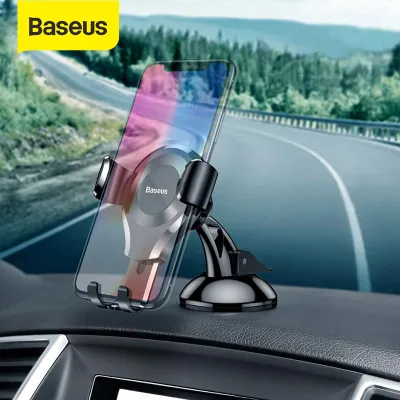
Prices are valid at publication and may change. Please refer to the product page for the latest price.
To achieve fast charging, you must utilize the vehicle’s 12V auxiliary power outlet. This socket connects directly to the car’s battery and alternator, providing a robust power source that aftermarket chargers can convert into high-wattage outputs. However, the maximum power you can draw is strictly limited by the vehicle’s electrical system and the fuse protecting that specific circuit.
Always check your vehicle’s owner’s manual to locate the fuse box diagram and identify the amperage rating for the auxiliary power outlet. A standard 10-amp fuse at 12 volts can handle a maximum continuous load of 120 watts, while a 15-amp fuse can support up to 180 watts. Choosing a charger that exceeds these limits when fully loaded can lead to a blown fuse, temporarily disabling the outlet.
Furthermore, the physical design of your car’s interior dictates which charger shape is practical. Some 12V sockets are recessed deep inside cubby holes or positioned vertically next to cup holders. A bulky charger with a wide head or an integrated cable might not seat fully in a recessed socket, or it could interfere with your gear shifter and handbrake. Before purchasing, always verify your vehicle’s model year, socket dimensions, and mounting positions against the charger’s specifications to ensure a secure fit and safe operation on the road.
Baseus USB-A Car Chargers: Legacy Compatibility
USB-A remains a highly reliable and ubiquitous standard, making Baseus USB-A car chargers an excellent choice for drivers with older vehicle models or those who primarily need to power legacy accessories. If your daily drive involves charging older dashcams, GPS navigators, portable air purifiers, or older-generation smartphones, a dedicated USB-A charger provides a stable and cost-effective solution. These chargers utilize the familiar rectangular connector, ensuring compatibility with a vast library of existing cables you likely already own.

However, the primary limitation of USB-A lies in its power delivery protocols. Traditional USB-A ports are physically incapable of supporting the modern USB Power Delivery (PD) standard, which is the protocol required for fast-charging modern iPhones, iPads, and many Android flagship devices. While some Baseus USB-A chargers feature proprietary fast-charging technologies like Quick Charge (QC) or Huawei SuperCharge Protocol (SCP) that can deliver higher wattages to compatible devices, they cannot match the universal high-speed charging capabilities of Type-C.
When selecting a USB-A model, you must carefully read the product label or specifications sheet to verify its maximum output limits and supported protocols. A standard USB-A port might only output 12W, whereas advanced Baseus models might offer up to 30W per port using specialized fast-charging standards. Ensure that your specific device can communicate with these proprietary protocols; otherwise, the charger will default to a standard, slower charging speed to protect the battery.
Furthermore, consider the physical build of the charger. Baseus offers compact, flush-fitting USB-A chargers that sit almost entirely inside the 12V socket, as well as larger models with digital voltage displays. If your vehicle’s socket has a spring-loaded cover, a flush-mount charger allows you to close the cover when the charger is not in use, maintaining a clean dashboard aesthetic.
Baseus Type-C (USB-C) Car Chargers: Fast Charging Setup
For drivers who demand the fastest possible charging speeds for modern smartphones, tablets, or even laptops, a Baseus Type-C car charger is the definitive choice. Type-C ports utilize the USB Power Delivery (PD) protocol, which dynamically negotiates voltage and current between the charger and your device. This allows the charger to safely deliver high wattages—often ranging from 20W to 100W or more—enabling you to rapidly replenish your device’s battery even during short commutes.
To unlock these high-speed capabilities, the entire charging chain must support the PD standard. This introduces a critical cable dependency: you cannot simply use any old cable with a Type-C adapter. To fast-charge an iPhone, you require a certified Type-C to Lightning cable, while modern Android devices and laptops require a high-quality Type-C to Type-C cable. For chargers exceeding 60W, you must ensure the Type-C to Type-C cable is rated for 5A and equipped with an E-Marker chip to safely handle the high current.
Before purchasing, verify your device’s maximum accepted input wattage and match it with the output specifications of the Baseus Type-C charger. For example, if your smartphone caps its fast-charging input at 25W, buying a 100W single-port charger will not charge your phone any faster than a 30W charger, resulting in over-provisioning. Conversely, if you attempt to charge a modern laptop that requires 65W using a charger that only outputs 20W, the laptop may charge extremely slowly or not at all while in use.
Additionally, many Baseus Type-C chargers feature multiple ports, combining Type-C and USB-A or offering dual Type-C ports. It is vital to check how power is distributed when multiple devices are plugged in simultaneously. Often, a charger advertised as “100W” may split that power (e.g., 65W on one port and 30W on another) when both are active. Always check the printed power distribution matrix on the side of the charger or in the user manual to ensure it meets your multi-device charging needs.
Baseus Wireless Car Chargers: Convenience vs. Conditions
Baseus wireless car chargers combine a phone mount with an inductive charging pad, offering unparalleled convenience for drivers who frequently get in and out of their vehicles. By eliminating the need to manually plug and unplug a cable every trip, these chargers reduce wear on your phone’s physical port and keep your dashboard free of dangling wires. However, wireless charging operates on the Qi standard, meaning you must first verify that your specific smartphone model natively supports wireless induction before choosing this option.
Wireless charging is highly sensitive to physical barriers and alignment. Most Baseus wireless mounts require your phone case to be relatively thin—typically under 3mm to 4mm—to establish a stable inductive connection. Furthermore, cases made of metal, or those featuring built-in metal plates, magnetic ring holders, or credit card slots, will block the electromagnetic field entirely or cause dangerous heat buildup. You must ensure your phone case is constructed from wireless-friendly materials like polycarbonate, TPU, or leather, and free of any metallic obstructions.
Environmental conditions play a massive role in wireless charging performance. Inductive charging naturally generates more heat than wired charging, and when combined with direct sunlight hitting your car’s dashboard, the phone’s internal temperature can rise rapidly. To prevent damage, modern smartphones will automatically trigger thermal throttling, drastically reducing the charging speed or halting it altogether. To mitigate this, it is highly recommended to mount the wireless charger on an air vent where the car’s air conditioning can actively cool both the charger and the phone, rather than using a dashboard or windshield suction mount exposed to direct sunlight.
Decision Matrix: Choosing the Right Baseus Charger
To help you finalize your decision, let us break down the ideal choice based on your specific vehicle and device ecosystem.
Choose a Baseus USB-A charger if your primary goal is to power legacy devices such as older dashcams, GPS units, or older-generation smartphones. This option is ideal if you already have a collection of reliable USB-A cables and want a straightforward, cost-effective charging solution that fits flush into your vehicle’s 12V socket without cluttering your cabin.
Opt for a Baseus Type-C charger if you own modern devices—such as recent iPhone or Android flagships, tablets, or laptops—and want to achieve the absolute fastest charging speeds possible during your drive. This setup requires you to use high-quality Type-C to Type-C or Type-C to Lightning cables, but it ensures your devices receive the precise wattage they need via the Power Delivery protocol.
Select a Baseus wireless car charger if you prioritize convenience, use navigation apps constantly, and want a clean, cable-free dashboard setup. This is the perfect option if your phone natively supports Qi or magnetic wireless charging, and you are comfortable using an air-vent mount to keep the system cool.
Before making any purchase, perform two essential checks. First, inspect your vehicle’s owner’s manual to confirm the fuse rating of your 12V socket, ensuring it can safely handle the maximum wattage of your chosen charger. Second, examine your phone case; if you use a thick, rugged, or metal-accented case, a wired Type-C or USB-A charger is a much safer and more reliable choice than a wireless mount.
Frequently Asked Questions (FAQ)
Can I use a Baseus wireless car charger if my phone lacks native wireless charging? (FAQ)
While you can technically purchase aftermarket Qi receiver patches or specialized cases that plug into your phone’s charging port to enable wireless charging, this setup is generally not recommended for automotive environments. These external receivers often add physical bulk, generate significant extra heat, and are highly inefficient, resulting in extremely slow charging speeds. In a hot car cabin, the added thermal stress can degrade your phone’s battery health. For devices without native wireless charging, opting for a direct Baseus Type-C or USB-A wired charger is a far safer, faster, and more reliable solution.
Will a high-wattage Baseus Type-C charger damage my car's 12V socket? (FAQ)
A high-wattage Baseus Type-C charger will not damage a properly functioning 12V socket, as the charger only draws the amount of power requested by the connected device. Reputable chargers are engineered with built-in safety mechanisms, including overcurrent, overvoltage, and short-circuit protection, to prevent electrical hazards. However, you must verify your vehicle’s 12V socket fuse rating in the owner’s manual. If the total power draw of your connected devices exceeds the socket’s fuse limit (typically 10A or 15A, corresponding to 120W or 180W), the fuse will blow to protect your car’s wiring, requiring a replacement fuse to restore power.

Community discussion
Share your experience or ask a question. Comments are reviewed before publication.