
Quick Answer: Matching Your Phone to the Right Interface
Selecting the right Baseus car charger depends on your smartphone model, daily driving habits, and the cables you keep in your vehicle. For drivers in Singapore navigating daily commutes on busy expressways, choosing an interface that matches your routine can mean the difference between a fully charged device and a dead battery before your next meeting.
If you carry a modern flagship smartphone, such as a recent Apple iPhone, Samsung Galaxy, or Google Pixel, a USB-C car charger is almost always the most practical choice. These devices rely on the Power Delivery (PD) protocol to negotiate high-speed charging, allowing you to replenish a significant portion of your battery during short trips. A USB-C connection ensures you can take full advantage of these rapid speeds without bottlenecking your device’s charging potential.
Conversely, a wireless car charger is the ideal match for drivers who require hands-free navigation and prefer a clean, uncluttered dashboard. By combining a secure physical mount with inductive charging coils, these units allow you to drop your phone into place and immediately start charging while keeping GPS maps clearly in your line of sight. This eliminates the daily hassle of fumbling with physical cables every time you enter or exit your vehicle.
Products mentioned in this guide
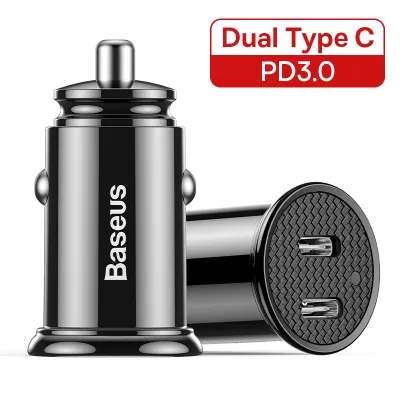
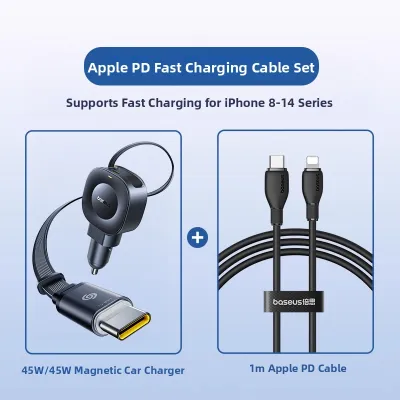
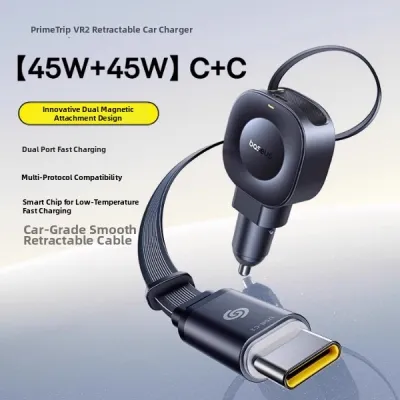
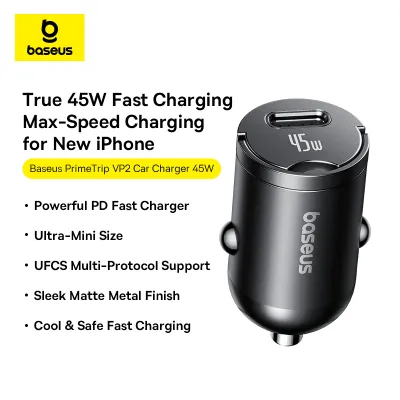
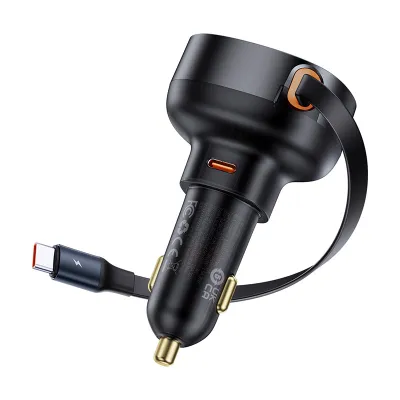
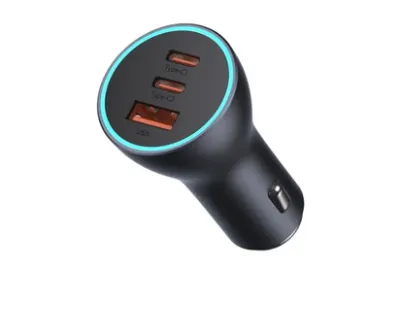
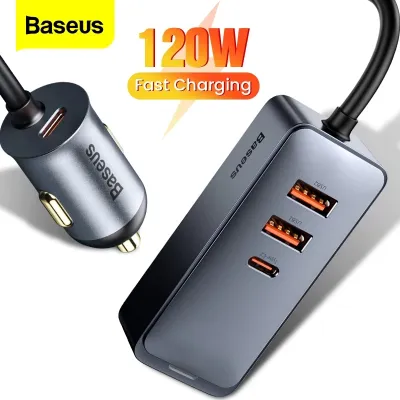
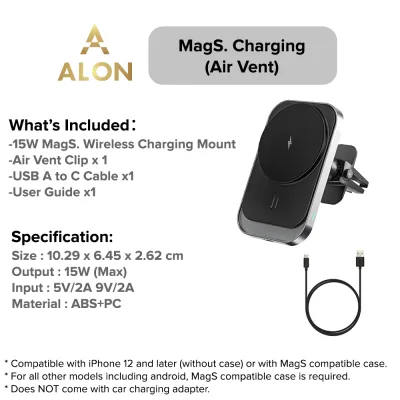
Prices are valid at publication and may change. Please refer to the product page for the latest price.
Finally, a traditional USB-A car charger remains a highly reliable and cost-effective option if you primarily charge legacy devices, use older cables, or need to power low-draw accessories. Devices such as dedicated dash cams, older Bluetooth receivers, or secondary backup phones often do not require the high-wattage output of modern USB-C ports, making USB-A a stable and practical choice for these specific applications.
Core Differences: USB-A, USB-C, and Wireless Charging
To make an informed decision, it is essential to understand the physical and technological foundations of each charging interface. The physical connectors represent the most obvious distinction. The traditional USB-A port is a rectangular, single-orientation connector that has been the industry standard for decades, often requiring users to flip the cable to find the correct orientation. In contrast, the USB-C port features a much smaller, oval-shaped design that is completely reversible. This user-friendly design allows you to plug in your cable in either direction without looking, which is a significant safety benefit when you are behind the wheel.

The underlying power flow and communication protocols also differ dramatically. USB-C ports support modern Power Delivery (PD) standards, enabling the charger and the connected smartphone to actively communicate and negotiate the safest, fastest voltage and current levels dynamically. USB-A ports typically rely on older, static power profiles or legacy standards like Quick Charge (QC), which cap power output at lower levels and lack the sophisticated, real-time negotiation capabilities of USB-C.
Finally, the physical form factors of these chargers alter how they occupy space. Traditional USB-A and USB-C car chargers are compact plug-in adapters that insert directly into your vehicle’s 12V accessory socket, requiring you to run a loose cable to your phone. Wireless car chargers, however, are integrated mounting solutions. They combine the 12V adapter with a physical phone cradle that mounts to your air vents, dashboard, or windshield, utilizing electromagnetic coils to transfer power directly to the back of your phone.
Charging Speed and Power Delivery Potential
When comparing charging performance, the difference between wired and wireless interfaces is substantial. USB-C is the modern benchmark for high-wattage power delivery. Utilizing the Power Delivery standard, a USB-C car charger can output high wattage, which is necessary to fast-charge modern flagship smartphones, tablets, and even compact laptops. This high-wattage capability means a brief 20-minute drive can provide enough power to keep your phone running for hours, making it highly efficient for busy professionals on the move.
USB-A chargers operate under older electrical constraints. While some USB-A ports feature proprietary quick-charging technologies, standard USB-A outputs are generally limited to 12W or up to 18W. For modern smartphones with large-capacity batteries, charging via a traditional USB-A port can feel exceptionally slow, often taking several hours. This slower rate is often insufficient if you are running resource-heavy applications like GPS navigation and music streaming simultaneously.
Wireless charging, which relies on the Qi inductive standard, introduces unique physical trade-offs. Inductive charging is inherently less efficient than a direct physical wire connection, with a notable percentage of electrical energy lost as heat across the electromagnetic coils. Because of this, wireless car chargers generally top out at lower speeds, such as 7.5W, 10W, or 15W, depending on phone compatibility.
Furthermore, heat generation is a critical factor in an automotive environment. When a phone charges wirelessly, both the charger and the phone’s battery generate heat. If you are driving in a warm climate like Singapore, and your phone is mounted on the dashboard under direct sunlight while running a demanding GPS app, the device’s internal temperature can rise rapidly. To protect the battery from permanent thermal damage, modern smartphones will automatically throttle their charging speed, sometimes dropping the power intake to a crawl.
To ensure optimal performance, always verify the exact specifications of your devices. Check both your phone’s maximum input rating in the manufacturer’s manual and the car charger’s output label, printed on the charger casing. Matching these specifications ensures you do not purchase a high-wattage charger your phone cannot support, or a low-powered charger that slows down your device.
Device Compatibility and Daily Convenience
Your daily interaction with your car charger is heavily influenced by your device’s ports and your personal habits. Over the past several years, the consumer electronics industry has transitioned toward universal USB-C ports. Modern smartphones, including recent iPhone models and Android flagship devices, ship with USB-C ports and include USB-C to USB-C cables. If you own these newer devices, choosing a USB-C car charger ensures seamless compatibility without the need to purchase additional adapter cables.
The physical management of cables is a major convenience factor. Wired charging requires physical cables in your vehicle, which can easily become tangled around your gear shifter, handbrake, or center console controls. Plugging and unplugging a cable every time you get in and out of the car can also become tedious. Wireless chargers offer a highly convenient ‘drop-and-go’ experience, allowing you to place your phone into the cradle with one hand, where it immediately begins charging without physical plugs.
However, wireless charging introduces physical limitations, particularly regarding phone cases. Because inductive charging relies on close physical proximity between the transmitter coil in the charger and the receiver coil in the phone, standard wireless chargers struggle to transfer power through cases thicker than 3mm to 5mm. Furthermore, cases made of metal, or those featuring integrated metal plates, magnetic rings, kickstands, or credit card slots, cannot be used with wireless chargers, as the metal can heat up rapidly under the inductive current, posing a safety hazard.
Multi-device scenarios also play a significant role. If you frequently travel with passengers, or carry both a personal phone and a work phone, a single-port charger will quickly lead to inconvenience. In these situations, opting for a multi-port charger featuring a combination of USB-C and USB-A ports is highly beneficial. However, when selecting a multi-port charger, it is crucial to understand how power splitting works. When multiple devices are plugged in simultaneously, the charger must divide its total wattage across the active ports, which can temporarily reduce the charging speed of each individual device. Checking the manufacturer’s documentation will clarify how the charger allocates power when multiple ports are in use.
In-Car Mounting and Navigation Scenarios
The physical layout of your car’s interior and how you use your phone while driving are primary factors in determining the best charger type. For drivers without an integrated infotainment screen who rely on their phone’s screen for real-time GPS navigation, a wireless charging mount is an exceptional solution. These mounts can be secured to your vehicle’s air vents, dashboard, or windshield, keeping the phone securely positioned at eye level. This setup allows you to monitor directions safely while the integrated wireless coils continuously supply power to offset the heavy battery drain caused by GPS and high screen brightness.
For drivers whose vehicles are equipped with modern infotainment systems that support Apple CarPlay or Android Auto, physical mounting is less critical. In these setups, the phone’s interface is mirrored directly onto the car’s built-in screen. If your vehicle requires a wired connection for these systems, a traditional wired USB-C or USB-A plug-in charger is the logical choice. The phone can be plugged in and placed out of sight in a cup holder or center console tray, keeping your dashboard clean and free of mounted accessories.
If you choose a wired charging setup, proper cable management is essential for safety. Loose, dangling cables can interfere with mechanical controls, such as the gear shifter or steering wheel. To prevent these hazards, consider using short, coiled cables or secure longer cables along the center console using small, adhesive cable clips. Keeping cables neatly routed ensures they do not snag while operating the vehicle.
When mounting any accessory, carefully evaluate the physical placement. A poorly positioned mount can create dangerous blind spots in your forward field of vision. Additionally, ensure that neither the mount nor the routed cables block or interfere with the deployment zones of your vehicle’s airbags. Always refer to your vehicle’s owner manual to identify these safety zones before installing any mounting hardware.
The Decision Framework: Which Type Should You Buy?
To finalize your decision, look at your specific device requirements and driving habits through a structured framework. By identifying which category your daily routine falls into, you can select the Baseus car charger type that delivers the most practical value.
Choose a USB-C car charger if:
- You own a modern flagship smartphone supporting Power Delivery (PD) fast charging.
- Your commute is relatively short, and you need to maximize battery percentage quickly.
- You use wired Apple CarPlay or Android Auto, requiring a physical connection.
- You occasionally need to charge larger devices like tablets or compatible laptops.
Choose a wireless car charger if:
- Your phone supports standard Qi wireless charging and you prefer a clean, cable-free dashboard.
- You rely heavily on your phone screen for GPS navigation and need a secure, eye-level mount.
- You frequently enter and exit your vehicle and want a simple, one-handed mounting mechanism.
- You do not use thick, heavy-duty, or metal-containing phone cases.
Choose a USB-A car charger if:
- You primarily charge legacy devices or use cables with a traditional USB-A connector.
- You need to power low-draw accessories like a dedicated dash cam or Bluetooth receiver.
- You want a straightforward, budget-friendly option and do not require ultra-fast charging.
Before purchasing, perform a quick physical inspection of your vehicle’s 12V accessory socket. Over time, these sockets can accumulate dust or minor corrosion, which can prevent a secure electrical connection. Cleaning the socket gently with a dry cotton swab while the ignition is completely off can prevent intermittent power loss. Additionally, double-check your phone’s user manual to verify its supported fast-charging protocols to match them precisely with the charger’s specifications.
Vehicle Power Limits and Electrical Safety
Before installing any high-wattage charging accessory, you must understand the electrical boundaries of your vehicle’s power system. The standard 12V accessory socket in most passenger vehicles is connected to a dedicated electrical circuit protected by a fuse, typically rated at 10 amps (10A) or 15 amps (15A). At a standard vehicle operating voltage of 12V to 14V, this means the entire circuit is limited to a maximum continuous load of approximately 120W to 180W.
While a single phone charger is highly unlikely to exceed this limit, risks arise when drivers use multi-socket splitters or daisy-chain multiple high-draw accessories together. Plugging in a high-wattage laptop charger, a portable car refrigerator, and a multi-port fast phone charger into a single 12V outlet simultaneously can easily exceed the circuit’s rated amperage. When this occurs, the vehicle’s safety fuse will blow to protect the wiring from overheating, immediately cutting power. To prevent this, always consult your vehicle’s owner manual to verify the exact amperage rating of your auxiliary power outlets before connecting multiple devices.
Physical safety and road legality are equally critical when installing car electronic accessories. Any mounted wireless charger, phone cradle, or routed cable must be positioned so that it does not obstruct your forward line of sight or block your view of the side mirrors. In Singapore, driving with an obstructed windshield or dashboard can lead to safety hazards and traffic violations.
Furthermore, ensure that no cables or mounts cross over or interfere with the deployment path of your vehicle’s airbags. Airbags deploy with extreme physical force; a phone mount positioned directly over an airbag cover can become a dangerous projectile in the event of a collision. Always route your charging cables cleanly away from the steering column, glove compartment seams, and side pillars to maintain a safe driving environment.
Frequently Asked Questions (FAQ)
Can I use a USB-C to USB-A cable with a USB-C car charger?
No, you cannot plug a USB-A connector into a native USB-C port on a car charger. To utilize a USB-C port on your car charger, you must use a cable that features a physical USB-C connector on the charger end, such as a USB-C to USB-C cable. Furthermore, using a standard USB-A adapter or legacy cable will disable the Power Delivery (PD) protocol, preventing your phone from negotiating high-speed fast charging.
Does wireless charging drain my car battery when the engine is off?
In most modern vehicles, the 12V accessory socket cuts power automatically when the ignition is turned off. However, some older vehicle models or specific European and American cars feature ‘always-on’ accessory sockets. If your vehicle has an always-on socket, leaving a wireless charger or plug-in adapter connected can slowly drain your car battery over several days of inactivity, potentially leaving you with a dead battery.
Will a thick phone case affect wireless car chargers?
Yes, standard Qi wireless charging is highly sensitive to physical distance. Most wireless car chargers can only transfer power effectively through cases thinner than 3mm to 5mm. Additionally, any phone case containing metal components, magnetic rings, kickstands, or integrated credit card holders must be removed before charging, as these materials block the inductive signal and can overheat rapidly, creating a safety risk.
Community discussion
Share your experience or ask a question. Comments are reviewed before publication.