
Selecting the right in-car power accessory requires balancing your specific devices, daily driving habits, and cabin layout. A reliable Baseus car charger can mean the difference between arriving at your destination with a dead phone or a fully powered mobile workstation. As modern smartphones, tablets, and laptops demand increasingly specific power delivery profiles, the standard 12V cigarette lighter adapter has evolved from a simple utility into a sophisticated power distribution hub. Navigating the differences between USB-A, Type-C, and wireless charging options is essential to finding the setup that keeps your devices safe and fully charged.
To make an informed purchase, you must evaluate how each charger type handles power delivery, cable management, thermal performance, and physical installation. Each technology has distinct operational trade-offs that affect charging speed and daily convenience. By matching these technical features to your typical commute and device lineup, you can avoid common pitfalls like slow charging speeds, excessive cable clutter, or overheating devices.
Quick Answer: Which Baseus Car Charger is Right for You?
The ideal Baseus car charger depends entirely on your primary devices, desired charging speeds, and cabin management preferences. If you need to charge modern flagship smartphones, tablets, or laptops at their maximum supported speeds, a high-wattage Type-C charger is the superior choice. Type-C ports utilize advanced Power Delivery (PD) protocols to supply substantial power quickly, making them indispensable for power-hungry hardware and short commutes where every minute of charging counts.
Products mentioned in this guide
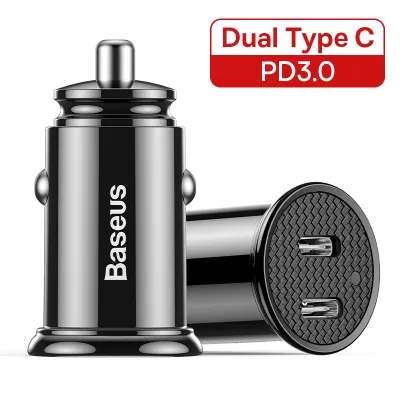
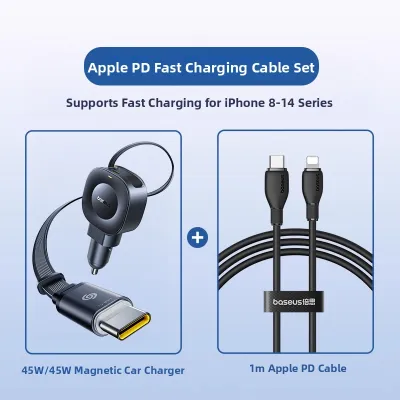
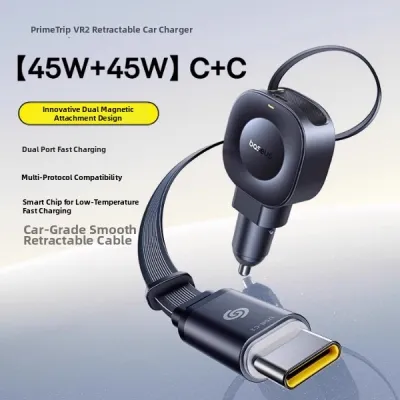
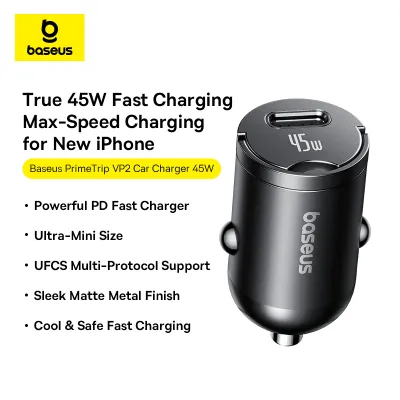
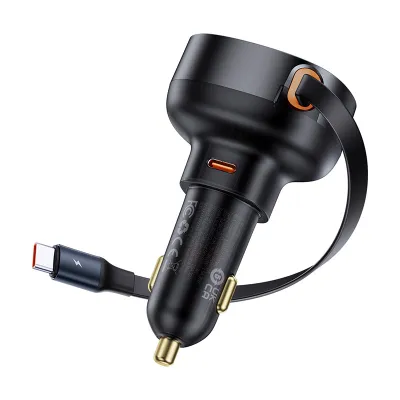
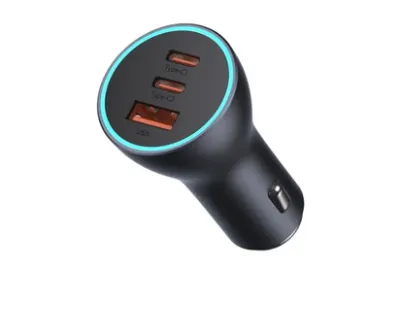
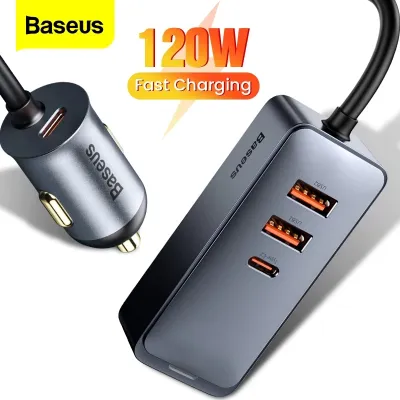
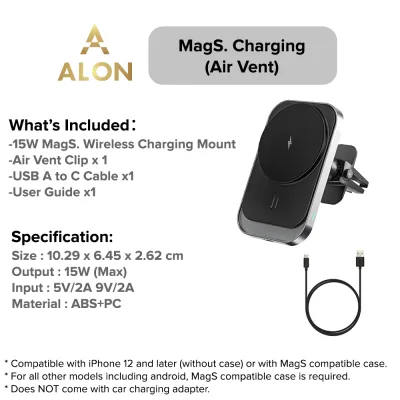
Prices are valid at publication and may change. Please refer to the product page for the latest price.
For drivers who primarily power legacy devices, dashcams, or older accessories that do not require rapid charging, a USB-A charger remains a highly practical and budget-friendly option. USB-A is a mature, robust standard that works seamlessly with older cable types. However, it cannot deliver the high wattages necessary for modern fast-charging protocols, meaning your devices will replenish their batteries at a much slower rate.
If you prioritize a clean, cable-free dashboard and take frequent short trips, a wireless car charger mount offers unmatched convenience. These mounts allow you to drop your phone into place and charge instantly without fumbling with physical cords. The trade-off is a slower charging speed and increased heat generation compared to wired connections. For the most versatile setup, many drivers opt for a hybrid Baseus charger that features both a high-output Type-C port and a legacy USB-A port, giving you the flexibility to handle any charging scenario.
Breaking Down the Three Baseus Car Charger Types
USB-A Car Chargers
USB-A car chargers represent the classic, rectangular port standard that has powered mobile electronics for decades. These chargers typically output standard power levels, often capped at 5V/2.4A (12W) per port, though some advanced models support Quick Charge (QC) standards up to 18W. Because the physical connector is directional, you must orient the cable correctly before plugging it in, which can be inconvenient while sitting in the driver’s seat.

The primary appeal of USB-A chargers lies in their widespread compatibility with legacy cables and low-power accessories. Dashcams, GPS units, older action cameras, and classic handheld devices rely almost exclusively on USB-A connections. While Baseus designs highly durable USB-A plugs with robust aluminum alloy shells, the inherent limitations of the USB-A interface prevent it from supporting modern high-wattage Power Delivery standards, making it unsuitable for rapid top-ups on newer smartphones or laptops.
Type-C (USB-C) Car Chargers
Type-C car chargers utilize the modern, reversible connector standard that has become the industry norm for contemporary electronics. These chargers support advanced Power Delivery (PD) and Programmable Power Supply (PPS) protocols, allowing them to negotiate precise voltages and currents with connected devices. Baseus Type-C chargers can deliver high wattages ranging from 30W up to 100W or more from a single port, enabling you to charge modern smartphones, tablets, and even compatible laptops while driving.
This high power output is managed by internal smart chips that dynamically allocate wattage based on the connected device’s needs and thermal status. When multiple devices are plugged into a multi-port Baseus Type-C charger, the unit automatically scales the power distribution to ensure safe, efficient charging for each device. The physical Type-C connector is also much smaller and fully reversible, eliminating the frustration of trying to plug in a cable in a dark car cabin.
Wireless Car Chargers
Wireless car chargers combine a physical mounting bracket with inductive charging coils, typically adhering to the Qi or MagSafe standards. These devices mount directly to your car’s air vents, dashboard, or windshield, securing your phone with gravity-linked clamps, motorized infrared sensors, or strong magnets. To charge your phone, you simply place it against the mount, allowing the internal transmitter coils to transfer power electromagnetically to the receiver coil inside your phone.
It is crucial to understand that wireless car chargers are not entirely cable-free. The mounting bracket itself must remain constantly connected via a physical USB-A or Type-C cable to a power source, such as a 12V cigarette lighter plug or a built-in USB port in your vehicle. The wireless aspect refers solely to the connection between the mount and your smartphone, offering a seamless dock-and-charge experience that eliminates the need to plug a cable directly into your phone’s charging port every time you enter the vehicle.
Comparing Performance and Daily Usability
Charging Speed and Power Delivery
When comparing charging speeds, wired Type-C connections are the fastest. A high-output Baseus Type-C charger utilizing the Power Delivery protocol can charge a compatible flagship smartphone from empty to roughly 50% in approximately 30 minutes. This rapid transfer of energy is highly beneficial for short drives, ensuring you get a meaningful battery boost even during a quick 15-minute commute. For laptops that support Type-C charging, a 65W or 100W Baseus charger can supply enough power to run the computer and charge its battery simultaneously.
In contrast, USB-A chargers offer moderate speeds, usually peaking at 12W to 18W. While this is sufficient for maintaining your battery level while running GPS navigation and streaming music, it will take significantly longer to fully charge a depleted battery. Wireless charging is the slowest of the three options, with most Baseus wireless mounts offering speeds of 7.5W, 10W, or a maximum of 15W for compatible devices. This slower rate means wireless charging is best suited for longer drives or for maintaining battery life rather than quickly reviving a dead phone.
Before purchasing a high-wattage charger, always verify your device’s maximum supported input wattage. A phone that is capped at 20W charging will not charge any faster when plugged into a 100W charger, as the device’s internal charging circuit will only draw the maximum power it is programmed to handle. However, having a higher-capacity charger ensures you have the headroom to power larger devices like tablets or laptops when needed.
Device Compatibility and Cable Management
Managing cables and device compatibility is a major factor in maintaining a clean, distraction-free car interior. Multi-port Baseus chargers are excellent for families or drivers who travel with multiple devices, as they allow you to run a dashcam via USB-A while simultaneously fast-charging a phone via Type-C. However, running multiple long cables from the center console to the dashboard or passenger seats can quickly create physical clutter and visual distraction, potentially interfering with your vehicle’s controls.
Wireless car charger mounts solve this clutter issue by consolidating the phone mount and the charging cable into a single, fixed location on your dashboard or air vent. The cable powering the mount can often be tucked neatly along the dashboard panels, leaving the space around your shifter and center console completely clear. This setup provides a highly integrated look and makes it incredibly easy to grab your phone when exiting the vehicle.
Before choosing a wireless mount or a multi-port plug, you must verify your car’s existing port layouts, dashboard geometry, and air vent designs. Some vehicles feature deeply recessed 12V sockets that may not accommodate bulkier multi-port plugs. Similarly, circular or extremely thin air vents may not provide enough structural support for heavy wireless charging mounts, which can weigh significantly more than standard passive mounts due to their internal coils and motorized clamping mechanisms.
Heat Generation and Battery Health
Operating electronic chargers in a tropical climate like Singapore requires careful attention to heat generation. High temperatures are the primary enemy of lithium-ion battery health, accelerating degradation and reducing the overall lifespan of your devices. Wireless charging inherently generates more heat than wired charging because inductive energy transfer is less efficient, with a portion of the energy lost as heat between the transmitter and receiver coils.
When a phone is mounted on a wireless charger on the dashboard, it is often exposed to direct sunlight through the windshield. This combination of solar heat and inductive charging heat can quickly cause the phone’s internal temperature to spike. To protect the battery, modern smartphones will automatically throttle their charging speeds—sometimes dropping down to a glacial 5W—or stop charging entirely until the device cools down. Wired Type-C charging is far more efficient, generating less heat at the phone itself because the primary voltage conversion occurs down inside the metal 12V charger plug, away from your phone’s battery.
To mitigate heat issues when using a wireless charger, consider mounting the device to an active air conditioning vent. The cool airflow from the vent can help dissipate heat from both the mount and the phone, maintaining faster charging speeds and protecting battery health. However, be cautious when using this setup in highly humid environments, as moving a cold phone rapidly from a chilled car cabin into hot, humid outdoor air can cause temporary moisture condensation on the device’s exterior and ports.
Decision Framework: Matching the Charger to Your Commute
To determine the best Baseus car charger configuration for your daily routine, consider the following scenario-based recommendations:
- Choose a Type-C Charger if: You carry modern flagship smartphones, tablets, or USB-C laptops and require rapid power top-ups during short commutes. This is the best option for business professionals who use their phones heavily throughout the day and need reliable, high-speed charging between meetings.
- Choose a USB-A Charger if: You are working within a strict budget, primarily need to power low-draw legacy devices like dashcams or older GPS units, or if your vehicle already has built-in legacy ports that meet your basic charging needs without requiring high-speed power delivery.
- Choose a Wireless Charger if: You prioritize a clean, uncluttered dashboard, make frequent short trips where you are constantly getting in and out of the vehicle, and your smartphone natively supports Qi or MagSafe wireless charging. This setup is highly convenient for delivery drivers or daily commuters who value seamless, one-handed docking.
- Verify first if: Your vehicle's 12V socket location, dashboard material, or air vent design is fully compatible with the physical dimensions and mounting mechanisms of your chosen Baseus model. Ensure that any dashboard suction mount you select is rated for the specific material of your dash, as textured or soft-touch surfaces can prevent a secure seal.
For most drivers, the most practical and future-proof investment is a multi-port Baseus charger that combines at least one high-output Type-C port (30W or higher) with a standard USB-A port. This hybrid configuration ensures you can fast-charge your primary modern phone while still maintaining compatibility with legacy cords, passenger devices, or dedicated cabin accessories like dashcams.
Installation, Safety, and Vehicle Compatibility
Before installing any high-wattage car charger, it is essential to review your vehicle’s documentation regarding the 12V cigarette lighter socket. Most vehicle manufacturer manuals specify a maximum current limit for the 12V socket, typically controlled by a 10-amp or 15-amp fuse. At a standard vehicle operating voltage of 12V to 14V, this means the socket can safely handle a maximum continuous draw of 120W to 180W. Exceeding this limit by plugging in multiple high-draw devices simultaneously can blow the fuse, disabling the socket and potentially other connected cabin electronics.
When installing a physical wireless charging mount, carefully select its position to ensure safety and compliance with local road regulations. The mount must be positioned so that it does not obstruct your clear line of sight through the windshield or block your view of side mirrors. Crucially, never install a phone mount directly over or within the deployment path of any vehicle airbags, including steering wheel, passenger dashboard, or side-curtain airbag zones. An improperly placed mount can become a dangerous projectile if an airbag deploys during a collision.
For suction-cup dashboard mounts, verify that your dashboard material is suitable. Soft-touch leather, heavily textured plastics, or curved surfaces often fail to maintain a reliable vacuum seal, which can cause the mount to fall while driving. If your dashboard is not suitable, utilizing an air vent clip mount or a windshield suction mount is generally a safer and more secure alternative. Always follow the manufacturer’s weight limits and tightening instructions to prevent the mount from slipping or damaging your vehicle’s vent slats.
Frequently Asked Questions (FAQ)
Can I use a Baseus wireless charger if my car only has USB-A ports?
Yes, you can use a Baseus wireless charger in a car that only has USB-A ports, but you must verify the power output of those ports. Standard built-in vehicle USB-A ports often output only 5W (5V/1A), which is insufficient to power a fast-charging wireless mount. To achieve optimal performance, you should plug the wireless mount’s cable into a high-output 12V cigarette lighter adapter that supports the specific input wattage required by the wireless mount.
Will a high-wattage Type-C car charger damage my car's battery?
No, a high-wattage Type-C car charger will not damage your car’s battery or electrical system under normal operating conditions. Modern Baseus chargers feature integrated smart chips that regulate the electrical current, drawing only the specific amount of power requested by the connected device. However, to prevent draining your car’s starter battery, it is best practice to unplug high-draw devices when the engine is turned off, as some vehicles continue to supply power to the 12V socket even when the ignition is key-out.
Do I need to remove my phone case for wireless charging to work?
For most standard, thin plastic or silicone phone cases under 3mm to 5mm in thickness, you do not need to remove the case for wireless charging to function. However, you must remove thick ruggedized cases, cases with built-in metal plates, ring stands, or wallet cases containing credit cards. Metal objects placed between the wireless charger and your phone will block the electromagnetic induction coil, prevent charging, and can cause the charger to overheat rapidly.
Community discussion
Share your experience or ask a question. Comments are reviewed before publication.