
Selecting a 4G GPS car tracker requires looking past flashy marketing claims and focusing on the core technical specifications that dictate daily performance. To secure your vehicle effectively, you must prioritize network band compatibility, power delivery, and configurable update intervals. A tracker that cannot connect to local cellular towers or one that constantly drains your car battery quickly becomes a liability rather than a security asset.
Understanding these specifications allows you to choose a device that integrates seamlessly with your vehicle’s electrical system and your personal tracking needs. Whether you want to monitor a single family car or manage a small delivery fleet, matching the hardware specifications to your driving habits ensures reliable location tracking without unexpected maintenance or subscription costs.
Network Compatibility and SIM Card Requirements
A 4G GPS car tracker relies on cellular networks to transmit location data. Before purchasing, verify that its internal modem supports the specific 4G LTE frequency bands used by telecom providers in your region. Devices designed for foreign markets may lack compatibility with local network bands, leading to frequent signal drops or complete connectivity failure.
Products mentioned in this guide
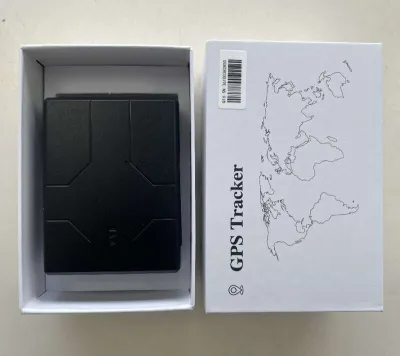
![7-STAR* Smart GPS Tracker 4G/5G SIM Card with 1500mAh to 10000mAh Built in Battery (APP:OCTrack)[GPS-QB]](https://img.lazcdn.com/g/p/1eea4b3a83bcb25586d1d928418dcc06.png_400x400q80.png_.webp)
Prices are valid at publication and may change. Please refer to the product page for the latest price.
You will encounter two primary SIM configurations: built-in eSIMs and physical SIM slots. Trackers with built-in eSIMs offer immediate setup because the manufacturer manages the cellular connection, but this typically locks you into their proprietary subscription plans. Conversely, a tracker with a physical SIM slot allows you to source your own data plan, giving you the flexibility to choose a budget-friendly local prepaid card or a dedicated machine-to-machine (M2M) data plan.
Data plan requirements are modest, as the device only transmits small packets of coordinate text. Most trackers operate efficiently on 50MB to 100MB of data per month. If you frequently drive across borders, such as traveling from Singapore into neighboring countries, verify the roaming capabilities of the SIM card and check if the tracker’s firmware supports seamless network switching without high roaming charges.
Power Source and Battery Life Specifications
Choosing how your tracker receives power balances installation complexity against long-term maintenance. Hardwired trackers connect directly to your vehicle’s electrical system, either through the On-Board Diagnostics (OBD-II) port or by splicing into the fuse box. These units provide continuous tracking and are maintenance-free once installed. Standalone, battery-powered trackers require no wiring and can be hidden anywhere, but they must be removed periodically for recharging.

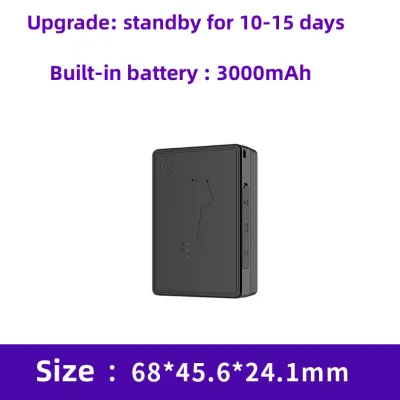
If you opt for a battery-powered unit, do not rely solely on the battery capacity rating (measured in mAh) to estimate runtime. Instead, interpret this capacity in the context of the device’s reporting frequency and power-saving sleep modes. A tracker configured to ping its location every 30 seconds will deplete its battery in a fraction of the time compared to a device set to update once an hour or only when motion is detected.
For hardwired installations, safety and vehicle compatibility are primary concerns. Modern vehicle electrical systems are highly sensitive; improper wiring can void warranties, trigger dashboard error lights, or cause parasitic battery drain. Always consult your vehicle’s owner manual to identify safe accessory power sources and verify the mounting position to ensure the device does not interfere with vehicle safety systems. Look for trackers with a low-voltage protection threshold that automatically shuts down the tracker if your car battery drops below a safe level (such as 11.5 volts). If you are unfamiliar with automotive electronics, seek qualified professional installation.
Update Frequency, Geofencing, and Accuracy
The utility of your tracking data depends on how often the device updates its position and how accurately it reports that data. Real-time tracking intervals refer to updates sent every 10 to 60 seconds while the vehicle is moving, which is essential for active recovery. Periodic ping rates, which update every few hours, are more suitable for basic asset tracking. Keep in mind that faster update intervals consume more cellular data and accelerate battery depletion on portable units.
Geofencing is a software-driven specification that allows you to draw virtual boundaries on a map and receive instant alerts when your vehicle crosses them. When comparing trackers, check the companion application’s specifications to see how many active geofences you can configure simultaneously. You should also verify the trigger conditions, ensuring you can customize alerts for entry, exit, or prolonged dwell times within a specific zone.
While standard GPS technology is highly accurate under clear skies, physical obstructions can degrade performance. Signal loss is common in urban canyons surrounded by high-rise buildings, as well as inside multi-storey concrete car parks or underground facilities. To mitigate this, look for trackers that support assisted GPS (A-GPS) or multi-constellation satellite tracking. These specifications allow the device to lock onto signals faster and estimate positions using nearby cell towers when direct satellite line-of-sight is lost.
Overhyped Specs You Can Safely Ignore
Manufacturers often highlight premium specifications that add to the retail price but offer little practical value for everyday vehicle tracking. For example, an IP67 or IP68 waterproof rating is essential for marine equipment or external chassis mounting, but it is unnecessary for a tracker installed inside a dry passenger cabin or under the dashboard. A basic dust-resistant rating is more than adequate for interior installations.
Similarly, extreme temperature tolerances—such as operating ranges from -40°C to 85°C—are frequently marketed as premium safety features. While parked cars can experience elevated cabin temperatures in tropical climates, standard automotive-grade electronics are already rated to handle these typical fluctuations. Unless you plan to mount the tracker directly inside the engine bay near high-heat components, you do not need to pay a premium for extreme temperature specifications.
Finally, be cautious of marketing that boasts years of historical data retention. Most vehicle owners only need to access driving history from the past 30 to 90 days to verify routes. Because long-term cloud storage is almost always tied to expensive monthly subscription tiers, paying extra upfront for a device that supports multi-year data retention is rarely a cost-effective choice for individual drivers.
Frequently Asked Questions (FAQ)
Do I need a separate data plan for a 4G GPS car tracker?
Yes, a 4G GPS car tracker requires an active cellular data connection to transmit its location coordinates. Some trackers are sold with a pre-installed eSIM, which requires you to pay a monthly or annual subscription fee directly to the device manufacturer. Other trackers feature an open physical SIM slot, allowing you to purchase a budget-friendly local prepaid IoT or mobile data plan, which can cost as little as S$5 to S$10 per month depending on your local telecom provider.
Will a 4G tracker drain my car battery if hardwired?
A properly designed and installed 4G tracker will not drain a healthy car battery during regular vehicle use. Most reputable hardwired and OBD-II trackers feature intelligent sleep modes that activate when the vehicle is stationary, reducing power draw to a negligible level. However, if the vehicle is left parked and unused for several consecutive weeks, the continuous standby draw can eventually deplete the battery. To prevent this, verify that the tracker has a built-in low-voltage cutoff and consult your vehicle’s manual regarding safe accessory power limits.
Community discussion
Share your experience or ask a question. Comments are reviewed before publication.